
How untrusted access becomes a finding
Plerion evaluates every grant in the resource access grants inventory. When a resource has one or more grants to anUntrusted external principal, Plerion:
- Sets the Grants external access context on the affected asset.
- Raises a finding against that asset.
Needs re-review, and the finding fails until the grant is reviewed again.
Severity
Untrusted external access findings carry a severity level like any other finding, so you can prioritize them alongside the rest of your posture. Plerion rates each finding from the access the grant actually allows:- A grant that allows broad or destructive actions scores higher than one limited to reading.
- Access to a resource holding classified data, or to a role that carries administrative or privilege-escalation rights, raises the score further.
- Conditions that restrict when the grant applies lower it.
Untrusted external access findings are rated
Low, Medium, or High. A grant is access someone still has to use, so no amount of scoring takes one of these findings to Critical.Finding untrusted external access
1
Open the Findings dashboard
Go to the Findings dashboard.
2
Filter by asset context
In the filter panel, set Asset context to Grants external access to show only the assets that grant external access.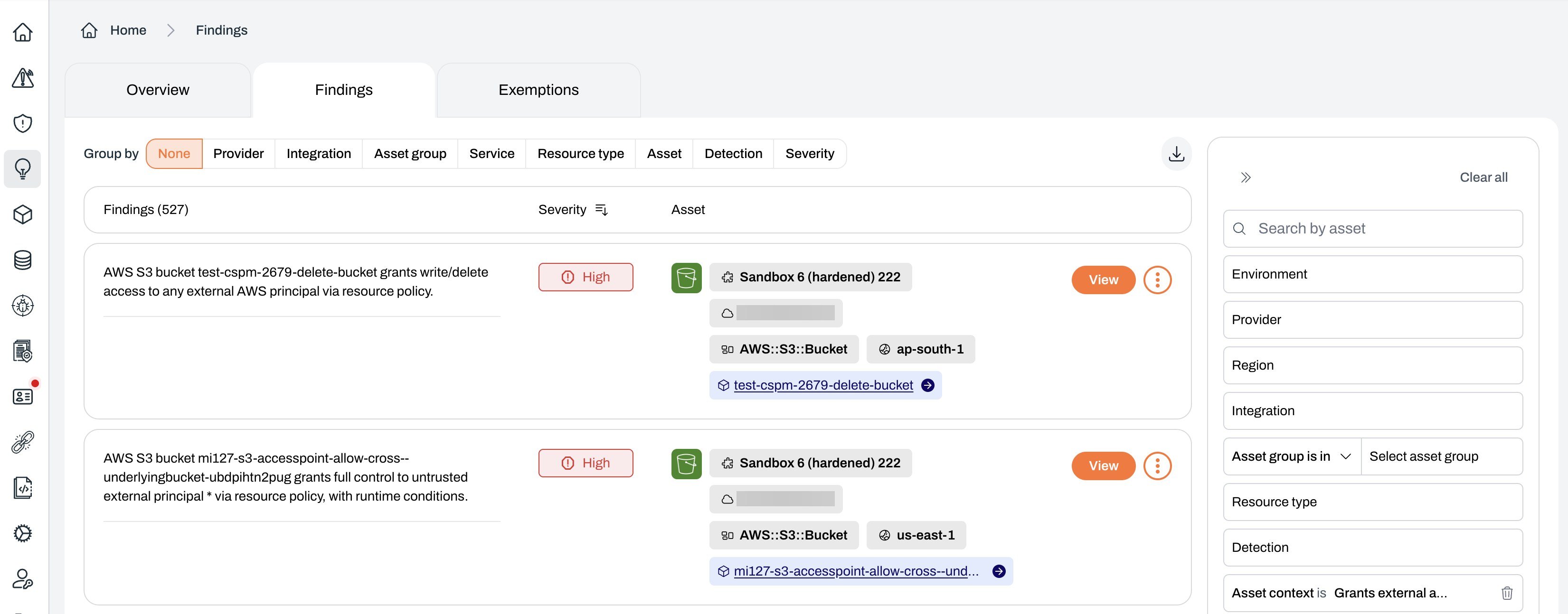
Understanding the finding detail
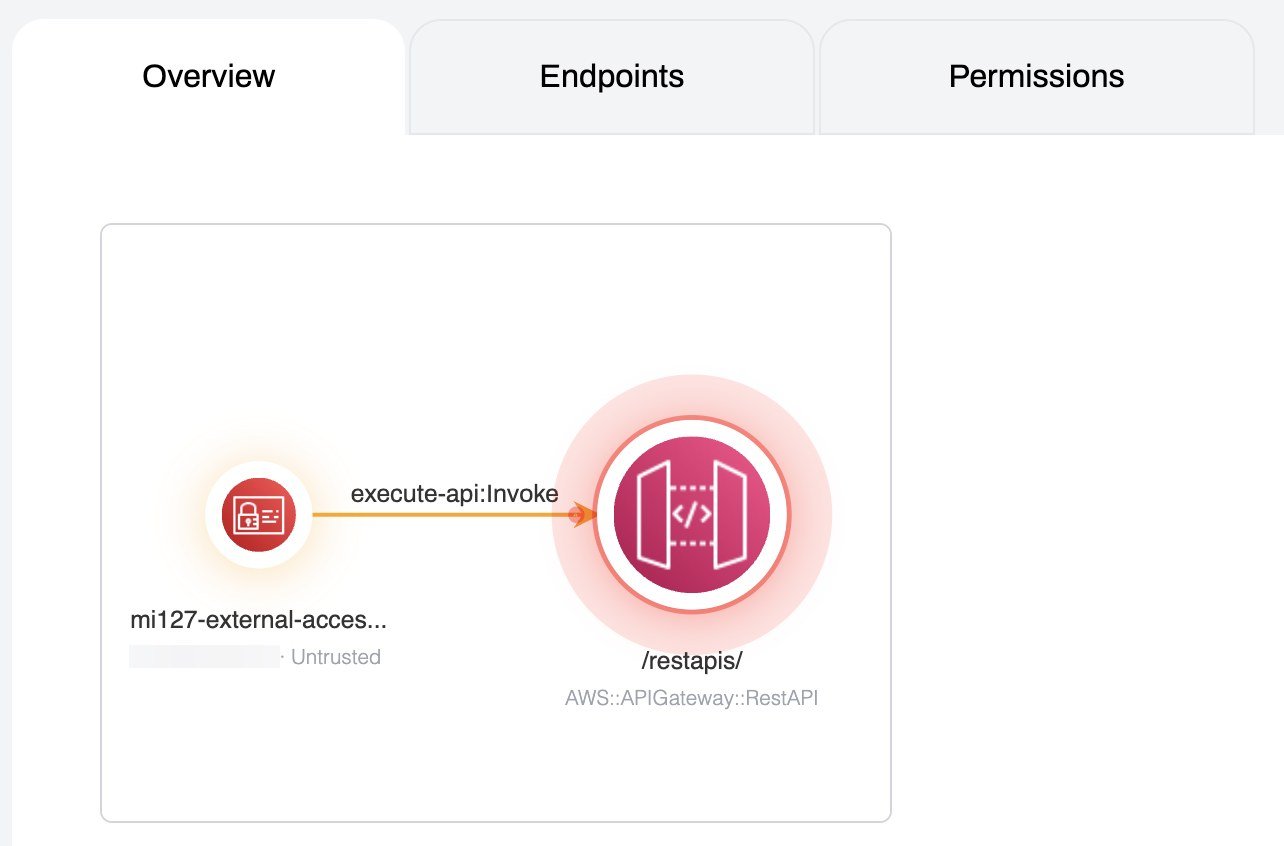
Select a finding to open its detail view. Alongside the standard finding summary, remediation guidance, and primary asset, the Overview shows an external access graph for the asset. The graph maps each external principal that holds a grant and labels it with its trust status, so you can see at a glance which principals areUntrusted, Trusted, or Unclassified.
The Access grants tab
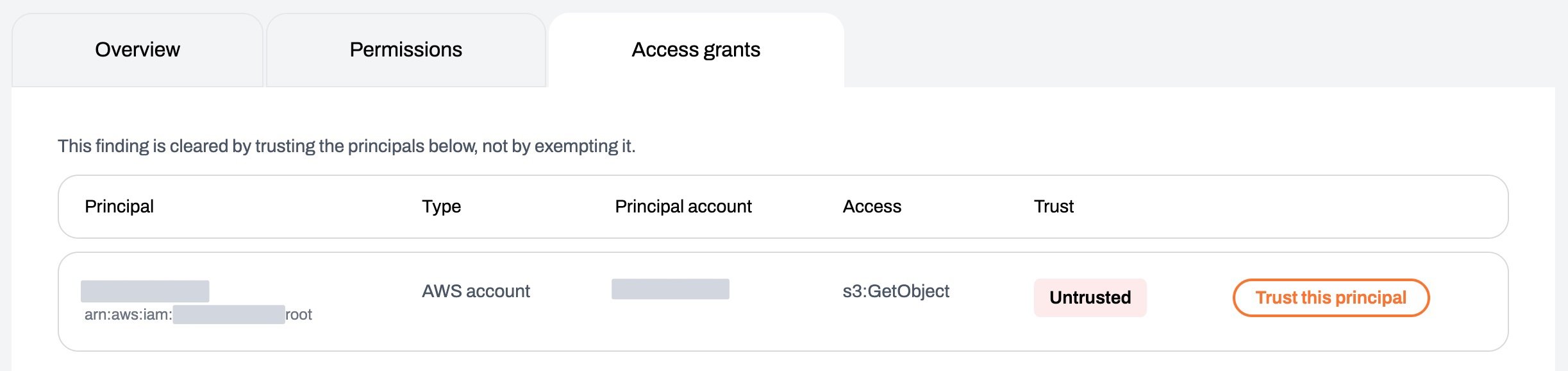
The finding also carries an Access grants tab listing every principal that holds a grant on the asset, untrusted ones first. Each row shows the principal, its type, its AWS account, the access it has, and its trust status. SelectTrust this principal on a row to add that principal to the trusted principals list of the profile that applies to the asset’s integration. Its grants stop being flagged once the next scan re-evaluates them.
The button is not offered for principals that cannot be expressed as a trust entry, such as a wildcard (*) principal, and it is hidden if you do not have permission to edit trusted principals.
Resolving a finding
- Trust the principal is the primary route. Add it from the finding’s Access grants tab, or from the trusted principals tab of the profile.
Trust until reviewis a review decision recorded on the grant itself. It stops counting toward the finding until the review date you set, then returns to the queue.- Remove or restrict the access means changing the resource policy or trust policy in AWS to drop the principal or tighten its conditions.
Related pages
- Resource access grants: The full inventory of grants to principals.
- External access: The grants that reach outside your organization.
- Trusted principals: Confirm expected access so it stops raising findings.