
External access is access to your AWS accounts or resources by a principal outside your AWS organization. This is what AWS Access Analyzer and compliance frameworks call third-party access. The term external matches AWS Access Analyzer and is more precise than cross-account, which only means one account to another regardless of whether it leaves your organization.
Why external access matters
Access that stays inside your organization is governed by your own controls. Access that leaves it is held by someone else: a vendor, a partner, a federated identity, or in the worst case the public internet. You often cannot see how that access is used or revoke it on your own. Many compliance frameworks require you to inventory and review third-party access for exactly this reason.Identifying external access
A grant is external when its Origin isExternal. Plerion gives you several ways to isolate these grants:
- The External access tile: The Resource access grants view counts external grants in the External access tile, and untrusted ones in the Untrusted external access tile.
- Preset views: Use the External, Untrusted external, Cross-org, or Public chips above the table to jump straight to a slice of external access.
- The Origin filter: Set the Origin filter to
Externalto show every external grant, then refine by Scope, Trust, or Principal type.
Cross-org (a specific outside account), Federated (an external identity provider), or Public (open to everyone through a wildcard principal).
Not every
Federated grant is external. A SAML provider that sits in the resource’s own account or another account in your organization is internal, which is the case for AWS IAM Identity Center. OIDC principals are always external.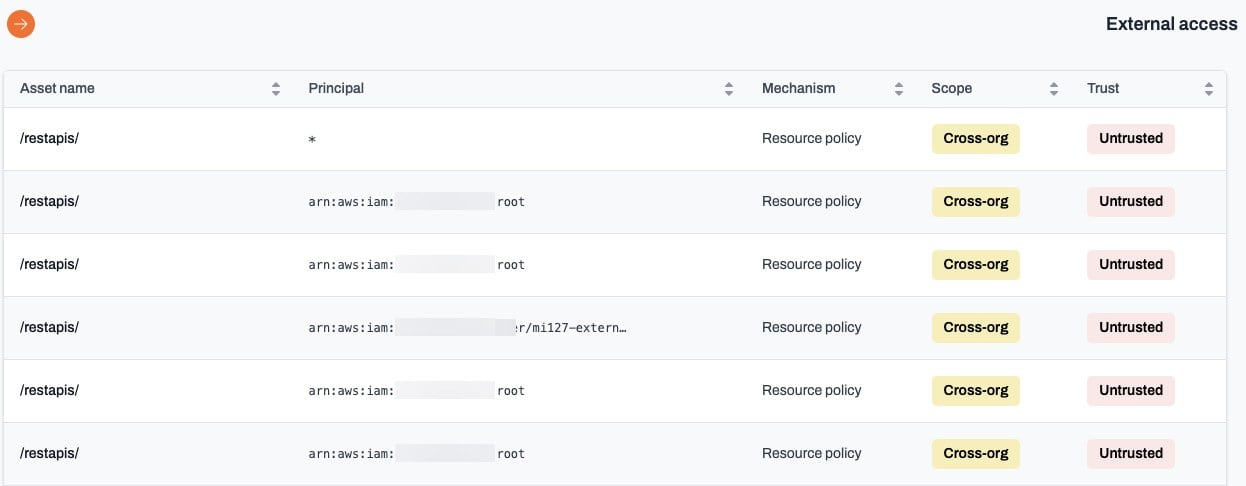
From external to untrusted
Not all external access is a problem. A vendor integration or a CI/CD identity may be exactly what you intended. Plerion separates the access you have confirmed from the access you have not:- Trusted: The principal matches an entry on your trusted principals list, or a reviewer has trusted this one grant until its review date.
- Untrusted: An external principal that neither of those covers.
- Start with suggested principals. The trusted principals tab lists the external principals already holding ten or more grants. Trusting one you recognize clears every grant it holds in a single step.
- Work the remaining principals from the findings. The finding’s Access grants tab trusts a principal without leaving the finding.
- Fall back to per-grant decisions. Where access is expected on one resource-and-principal pairing but not worth trusting everywhere, record a
Trust until reviewdecision on that grant. - Remediate what remains as untrusted external access findings.
Related pages
- Resource access grants: The full inventory and how grants are classified.
- Trusted principals: Confirm expected external principals.
- Untrusted external access findings: Prioritize and resolve unconfirmed external access.