A top risk is an instance of a potential negative outcome. For example, “unauthorized access to 5 GB of data tagged as confidential in the S3 bucket
my-bucket-of-pii because it is publicly readable from the internet due to object listing enabled without authorization.” A risk type is the abstract classification. For example, “unauthorized access to confidential data in an S3 bucket because it is publicly readable from the internet.”How Plerion identifies and prioritizes risks
Plerion follows a three-stage process to surface your top risks:- Connect: Plerion connects to your cloud environment to collect configuration, identity, and workload data.
- Collect: Data is formatted into findings and compliance information across your connected accounts.
- Cut through the noise: Plerion combines related findings into risks and ranks them by severity, so you can focus on what actually matters rather than triaging thousands of individual findings.
Severity rating
Each risk is assigned a severity based on two dimensions:- Impact — The potential severity that could result from this risk.
- Likelihood — How probable this risk is to occur.
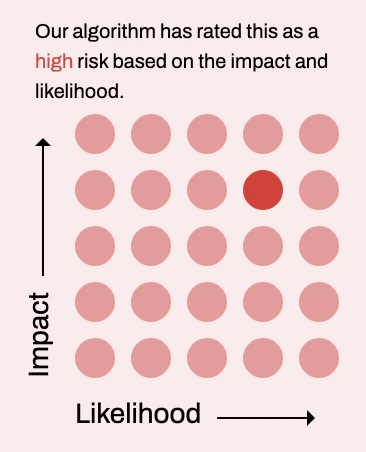
Risk details
Clicking a top risk opens a slideover with full context and guidance, organized into four tabs:Overview
The Overview tab shows:- Contributing factors: The specific conditions that combine to create this risk. Plerion also fact-checks these contributing factor to validate its accuracy.
- Affected asset graph: A visual graph of the asset(s) involved in the risk and their relationships.
Mitigation
The Mitigation tab provides actionable guidance to address the risk. This can include steps to completely mitigate the risk, or actions to lower its impact or likelihood.Potential attack story
The Potential attack story tab describes how a threat actor could exploit this specific risk. This helps you understand the real-world implications and urgency of remediation.Real-world examples
The Real-world examples tab shows documented cases where this type of risk has been exploited in practice, providing additional context for prioritization decisions.Managing risk lifecycle
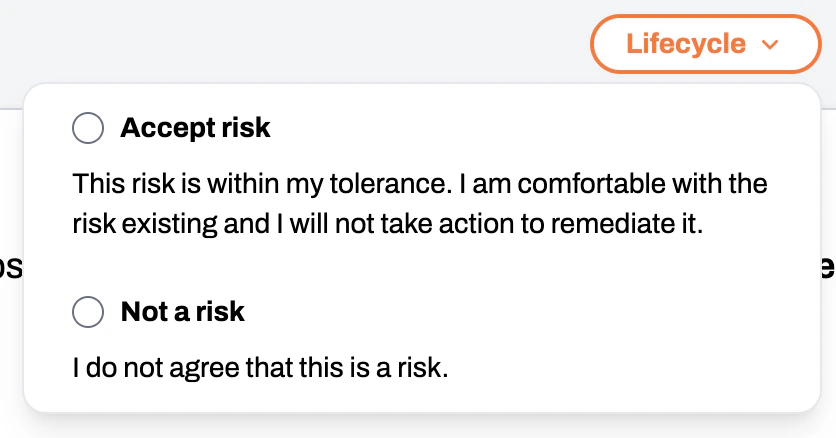
You can manage the lifecycle of a risk directly from the risk detail slideover. Click theLifecycle button in the top-right corner to open a dropdown with two options:
- Accept risk: Acknowledge the risk and accept it without further action. Use this when the risk has been reviewed and determined to be within your organization’s risk tolerance.
- Not a risk: Mark the risk as not applicable to your environment. Use this when the identified risk does not represent a real threat in your specific context.
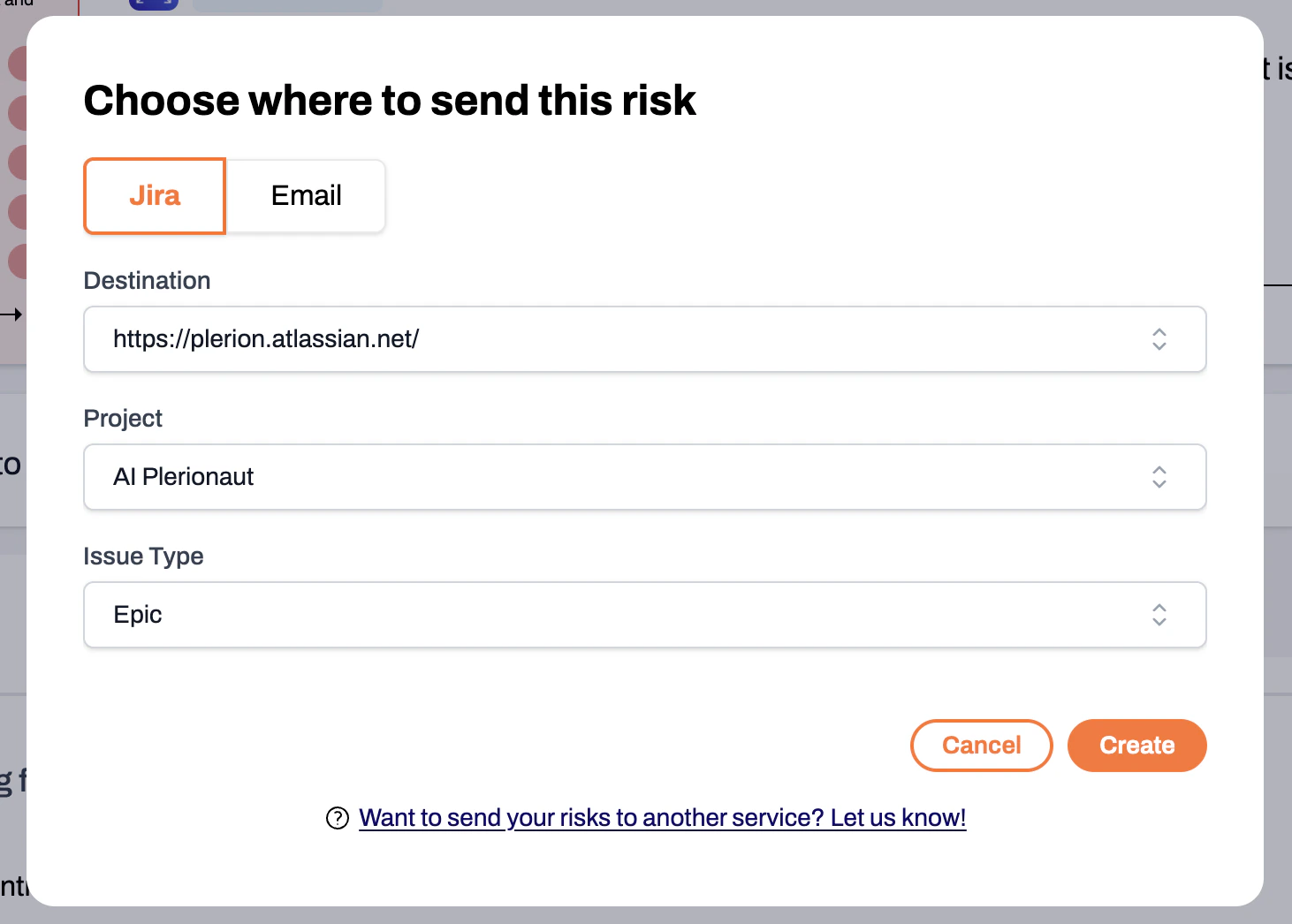
Sending risks to Jira or email
From the risk detail slideover, you can send a risk to your connected Jira environment or share it via email. Use the send button within the slideover to choose your destination.