With the Macie integration, you can automatically update the asset context of your Amazon S3 buckets in Plerion using findings from AWS Macie. This gives you better visibility into sensitive data exposure and helps strengthen your cloud data security.

Enabling the Macie integration

Enable Macie in the AWS console and ensure that findings are available for your S3 buckets. Plerion will then ingest and apply these findings.

How it works

Plerion ingests specific Macie finding types and maps them to S3 bucket asset context. The following detection codes are used:
Detection codeDetection titleAsset contextMacie finding typeStatus
PLERION-AWS-857Ensure Amazon S3 buckets do not contain credentials datanumberOfCriticalSecretsSensitiveData:S3Object/CredentialsFAIL
PLERION-AWS-858Ensure Amazon S3 buckets do not contain sensitive dataisCrownJewelSensitiveData:S3Object/CustomIdentifierFAIL
PLERION-AWS-859Ensure Amazon S3 buckets do not contain personal informationhasPersonallyIdentifiableInformationSensitiveData:S3Object/PersonalFAIL
PLERION-AWS-860Ensure Amazon S3 buckets do not contain financial informationhasPaymentCardInformationSensitiveData:S3Object/FinancialFAIL
If a bucket has any of the above failed findings, its asset context in Plerion is updated accordingly and reflected in its tags.
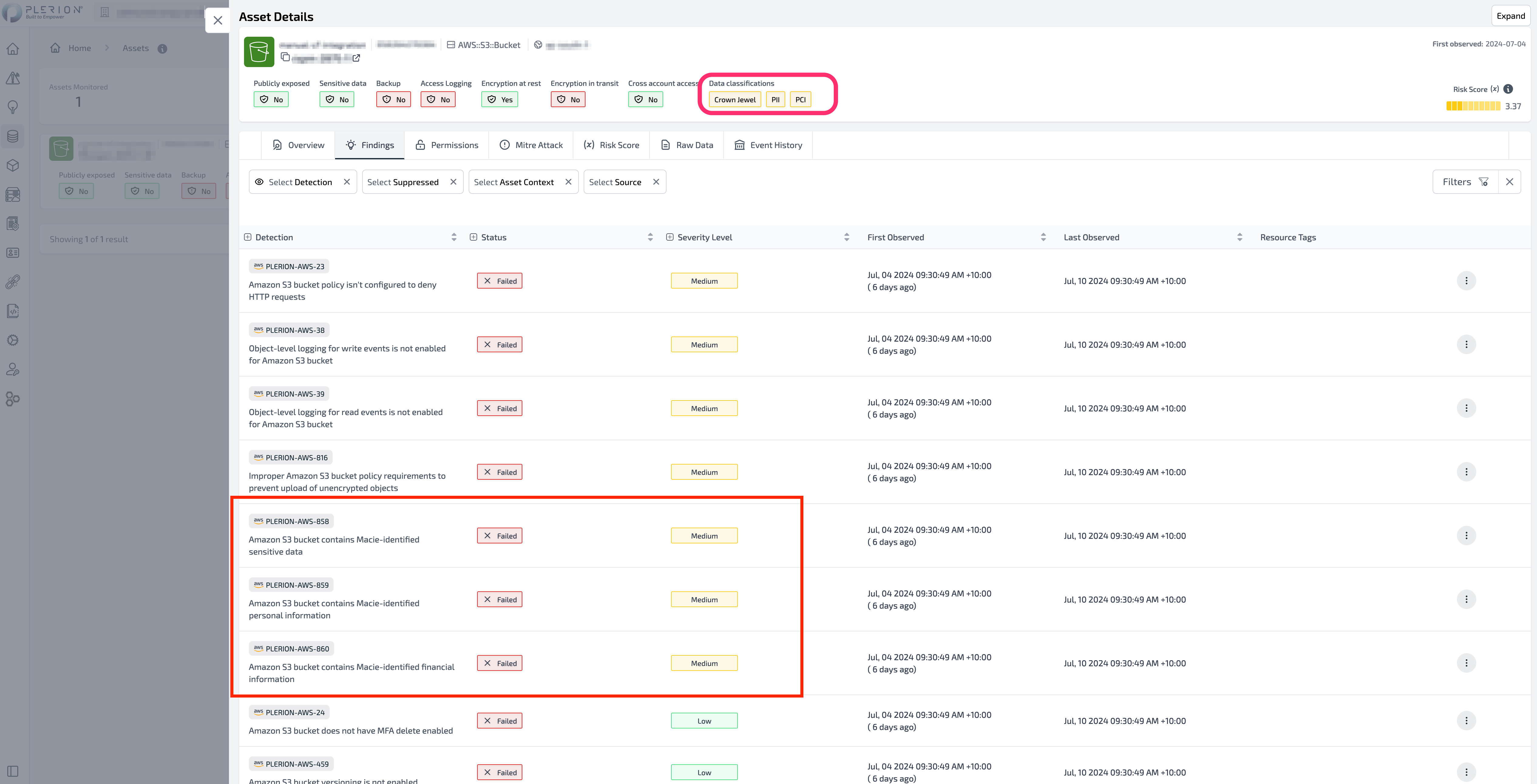
S3 bucket in AWS with Macie-populated asset context tags highlighted