
Auto-triage is experimental. The setting carries an Experimental label in the product, and the rules can change while it does. Severity is still the only thing it changes.
What changes
Auto-triage changes the severity Plerion assigns to a vulnerability. That is the only thing it changes.- Every vulnerability still appears on the Vulnerabilities dashboard and still counts toward your totals.
- The advisory severity is stored alongside the new one.
- Each adjusted vulnerability carries a note explaining the change.
- Severity is only lowered, never raised.
- Only Critical, High, and Medium findings are eligible. A Low finding is never touched.
- Exemptions are unaffected. An exempted vulnerability stays exempt.
The rules
Rules are listed in the order Plerion applies them. The first one that matches decides the severity, and its reason is what appears on the finding.
The last two rules only move Critical findings. A High or Medium finding that matches them keeps its severity.
Why a vulnerability you expected to move did not
Two behaviors account for most of these cases. Every weakness has to match. A CVE tagged with bothCWE-20 (improper input validation) and CWE-78 (OS command injection) keeps its severity, because command injection names a real outcome. A vulnerability with detailed weakness tagging is less likely to be adjusted than one carrying a single vague tag.
Every scoring source must agree. Where NVD (National Vulnerability Database) and a vendor both publish a CVSS vector, one of them claiming data impact or remote reach is enough to leave the severity alone.
Where the rules come from
Membership of each rule comes from published data, and Plerion re-derives the rules when the source updates:- The Common Weakness Enumeration (CWE) catalog: the consequences MITRE records for each weakness, the relationships between weaknesses, and MITRE’s flag for whether an identifier should be used to describe an individual vulnerability.
- The CVSS (Common Vulnerability Scoring System) v3 vector published with the CVE, which states the attack vector and the measured impact on confidentiality, integrity, and availability.
- Public exploit databases and threat intelligence on known exploitation.
Expected reduction
The reduction depends on the mix of weaknesses in your estate. A larger estate does not mean a larger percentage. Two measurements bracket the range:
Expect roughly a third to two thirds of your Critical and High findings to move down, mostly to Medium and Low.
Four things decide where you land:
- How many findings carry weakness data. Most rules need at least one CWE identifier. In large datasets, up to 40% of findings have none.
- Containers versus hosts. Container-heavy estates see more from the kernel rule.
- Base image age. Older distribution kernels carry more advisories with no known exploit.
- Your current severity mix. The two capping rules only move Critical findings.
Enable auto-triage
Auto-triage is set per profile, so you can apply it to part of your estate and leave the rest on advisory severities.1
Go to Settings > Profiles
Select the profile you want to change. Profiles inherit from the default profile unless they override the setting.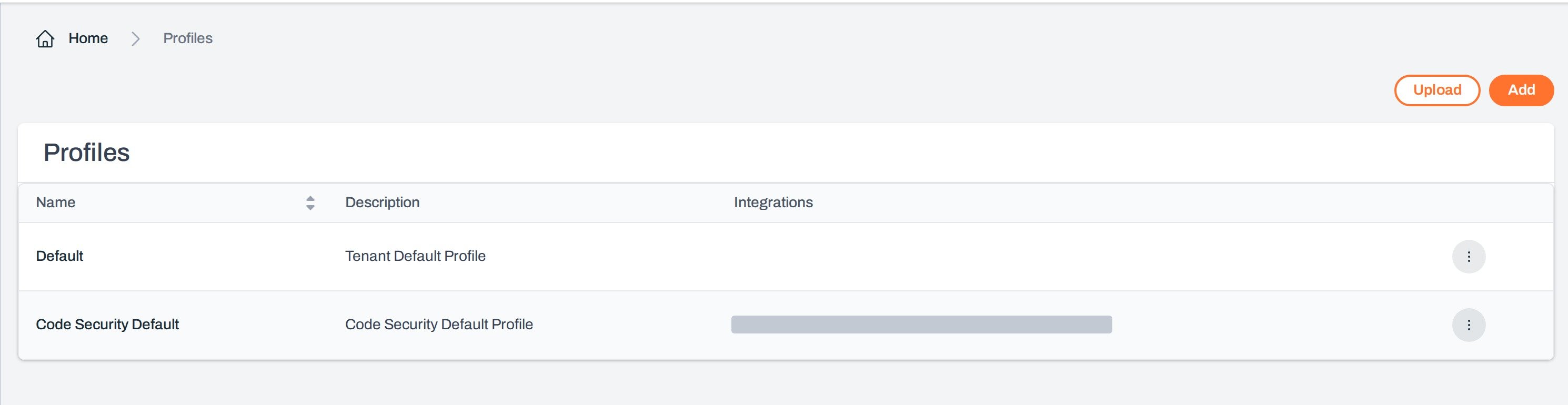
2
Open the General tab
Find the Vulnerabilities row.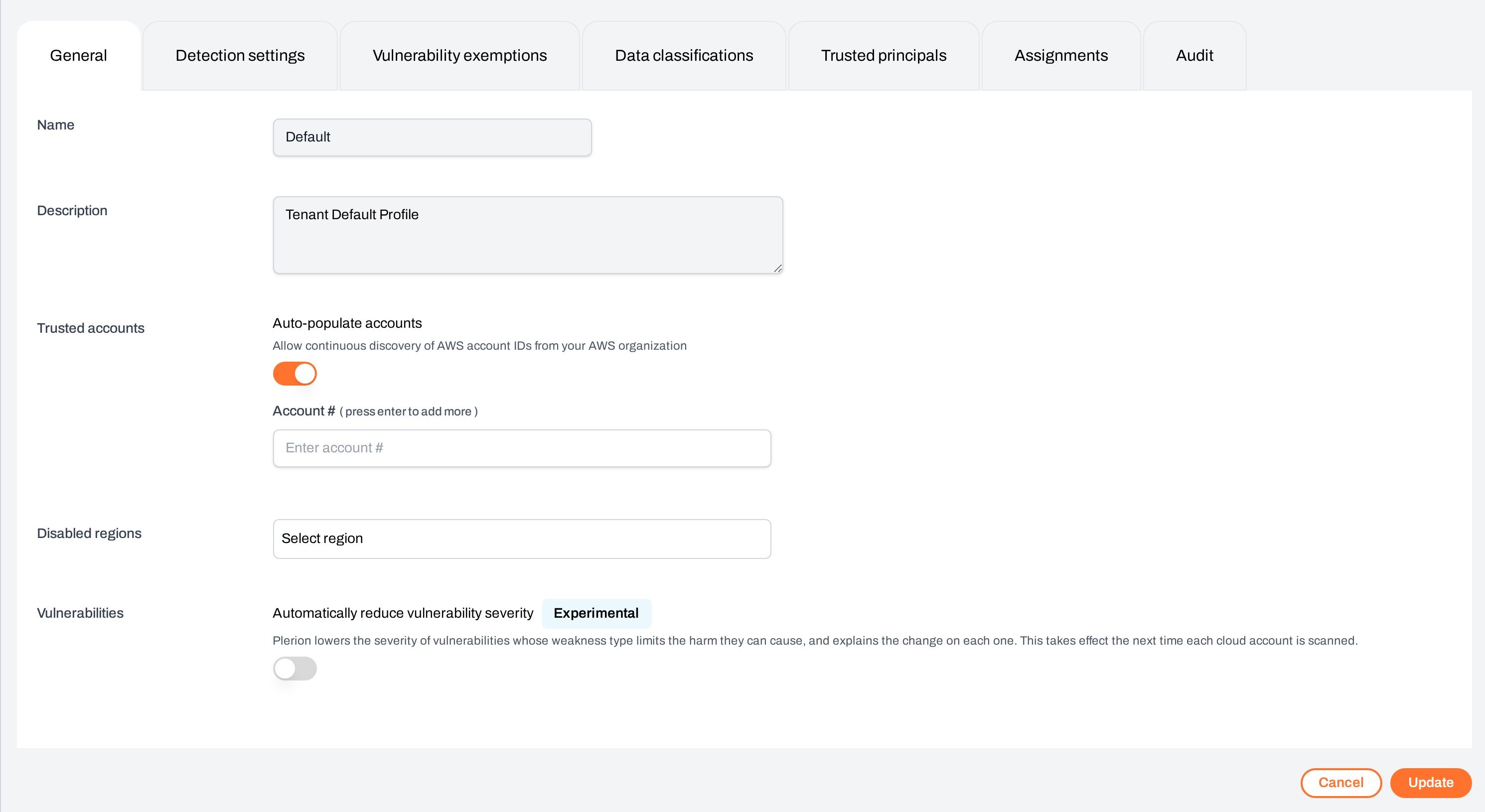
3
Turn on Automatically reduce vulnerability severity
Toggle the setting on, then save the profile.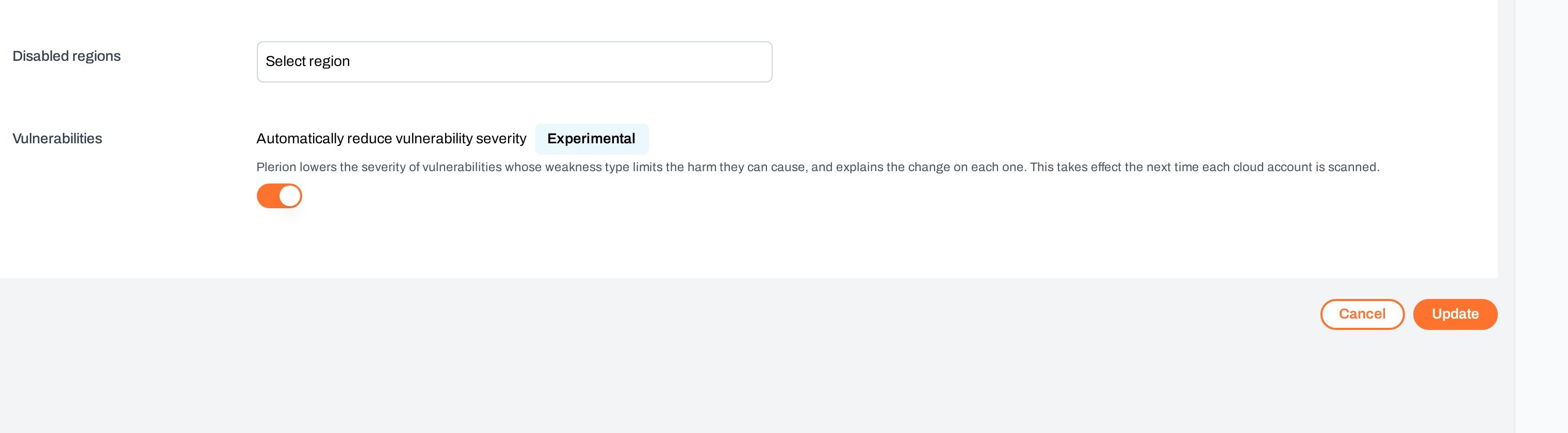
The setting takes effect the next time each cloud account is scanned. Existing findings keep their current severity until then, so allow a full scan cycle before comparing totals. See Workload scanning policy for scan frequencies.
Reading an adjusted finding
An adjusted vulnerability carries a note on its detail view:Plerion lowered this vulnerability’s severity from Critical to Low because a container uses the kernel of the host it runs on, so this fault is reported against that host instead.The note gives the original severity, the new severity, and the reason for the rule that matched. To act on the advisory severity instead, filter or exempt the vulnerability as you would any other.