Alerts Dashboard Video
Features
The Plerion Alert Dashboard provides a range of features designed to enhance the efficient management of alerts. Users have the flexibility to browse alerts in either list or detailed view, apply filters based on various criteria, sort alerts by risk score or discovery date, acknowledge or un-acknowledge alerts, flag alerts for increased visibility, remediate alerts, and exempt assets from detection conditions. Below is a brief description of each feature available in the Alert Dashboard:Filters
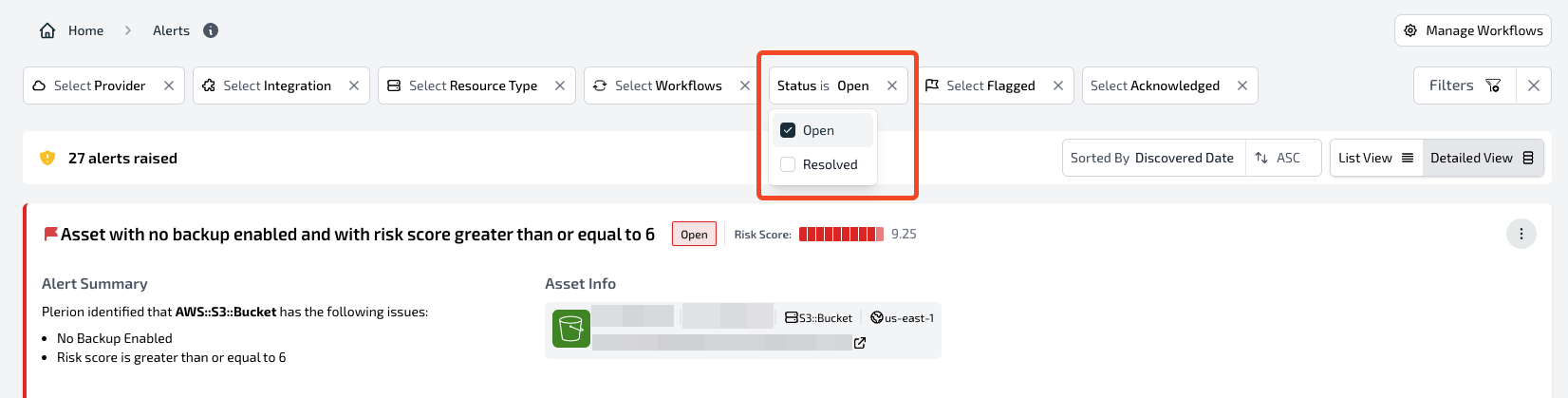
The Plerion Alert Dashboard offers multiple filters to streamline and enhance the efficiency of finding specific alerts.- The Status filter can be used to list all ‘Open’ or ‘Resolved’ alerts.
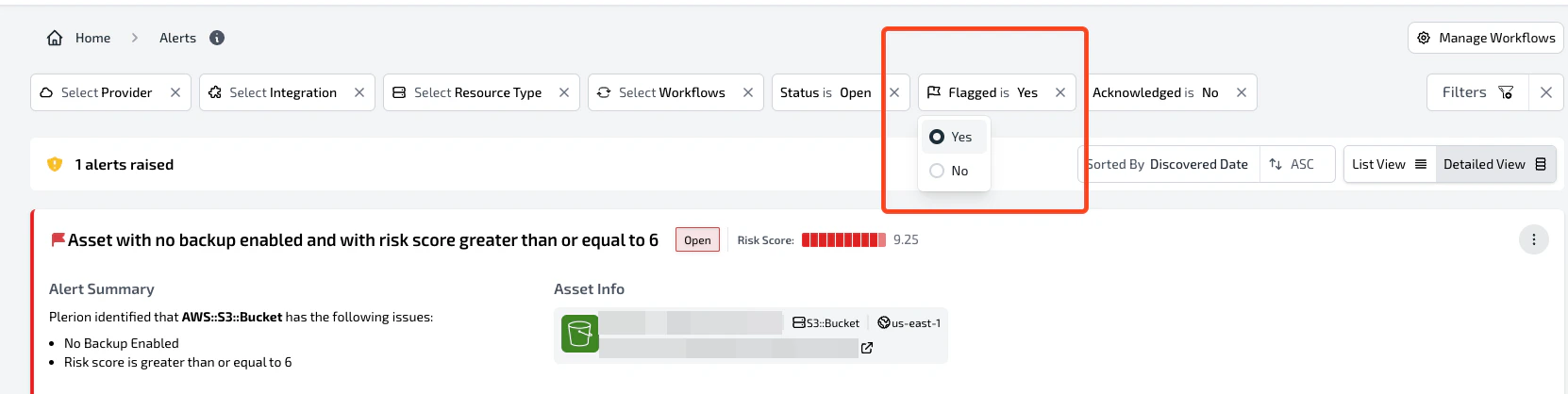
- An alert can be flagged to highlight its importance. The ‘Flagged’ filter can be used to list all flagged alerts.
- Other filters include:
- Provider: Filter alerts based on their provider (AWS, Azure, GCP, Kubernetes, etc.).
- Integration: Filter alerts based on their integration created in the Plerion Platform.
- Resource Type: Filter alerts based on the resource type (AWS::S3::Bucket, AWS::Lambda::Function, etc).
- Workflows: Filter alerts based on the specific workflow that triggered them.
- Acknowledged: An alert can be marked as acknowledged to suppress it. This filter can then be utilized to display only those alerts that have been acknowledged.
Sorting and Viewing
The Plerion Alert Dashboard provides sorting and viewing options to assist users in organizing and prioritizing their alerts.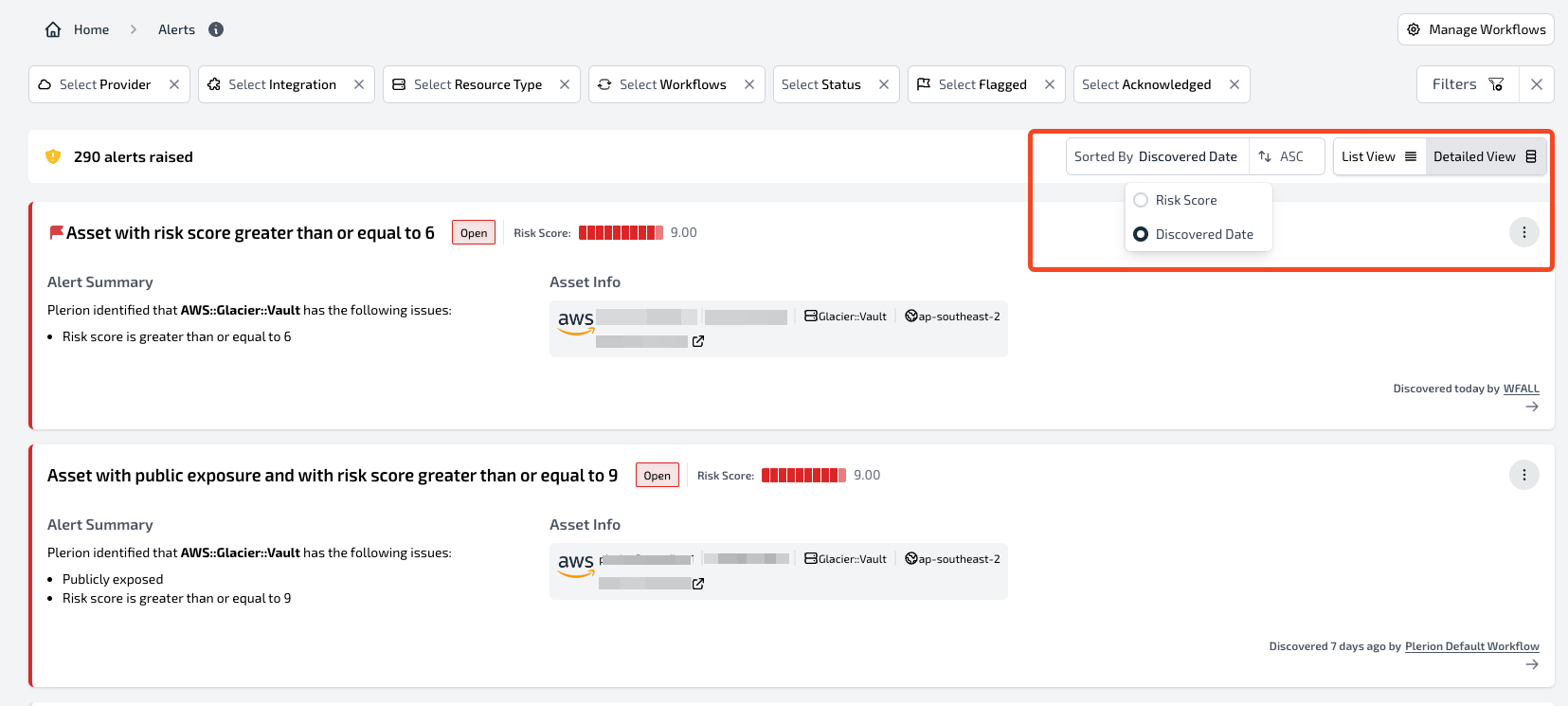
- Risk Score: Sort alerts based on their calculated risk score, ensuring that the most critical alerts appear at the top of the list.
- Discovered Date: Sort alerts in order of the date they were discovered, prioritizing the most recent alerts to appear at the top of the list.
- List view: Displays alerts in a compact table format with basic information.
- Detailed view: Provides detailed information about each alert, including the alert summary and asset information.
Acknowledge
The Plerion Alert Dashboard provides users with the ability to acknowledge an alert. This action hides alerts from the dashboard, enabling teams to focus on addressing new threats introduced into the environment.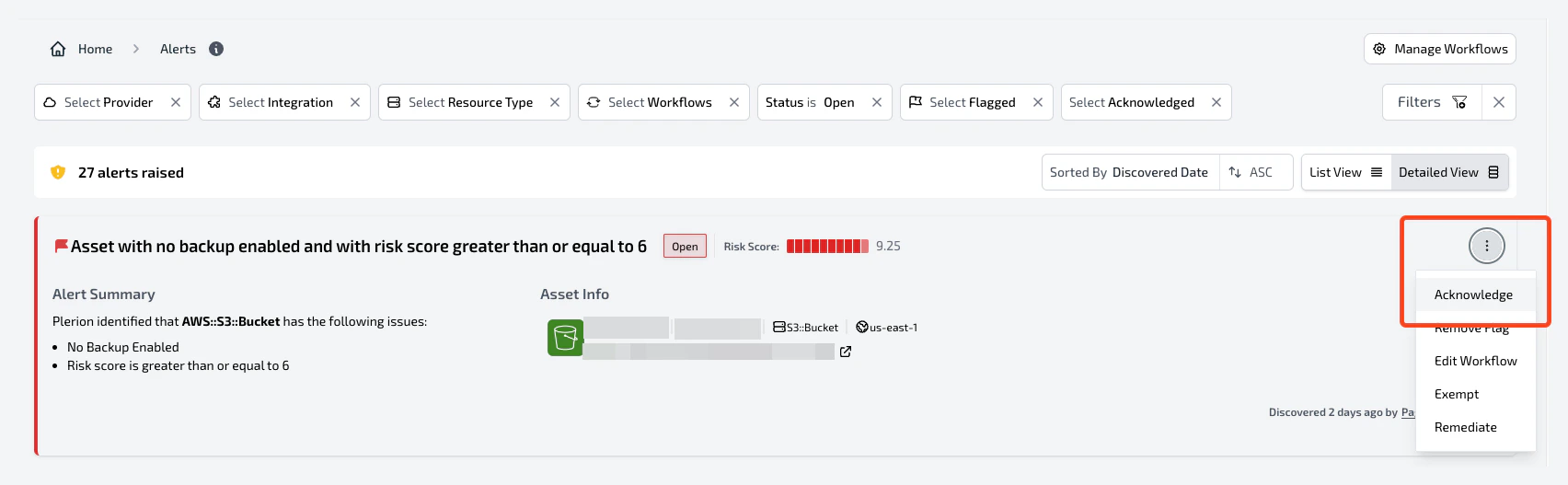
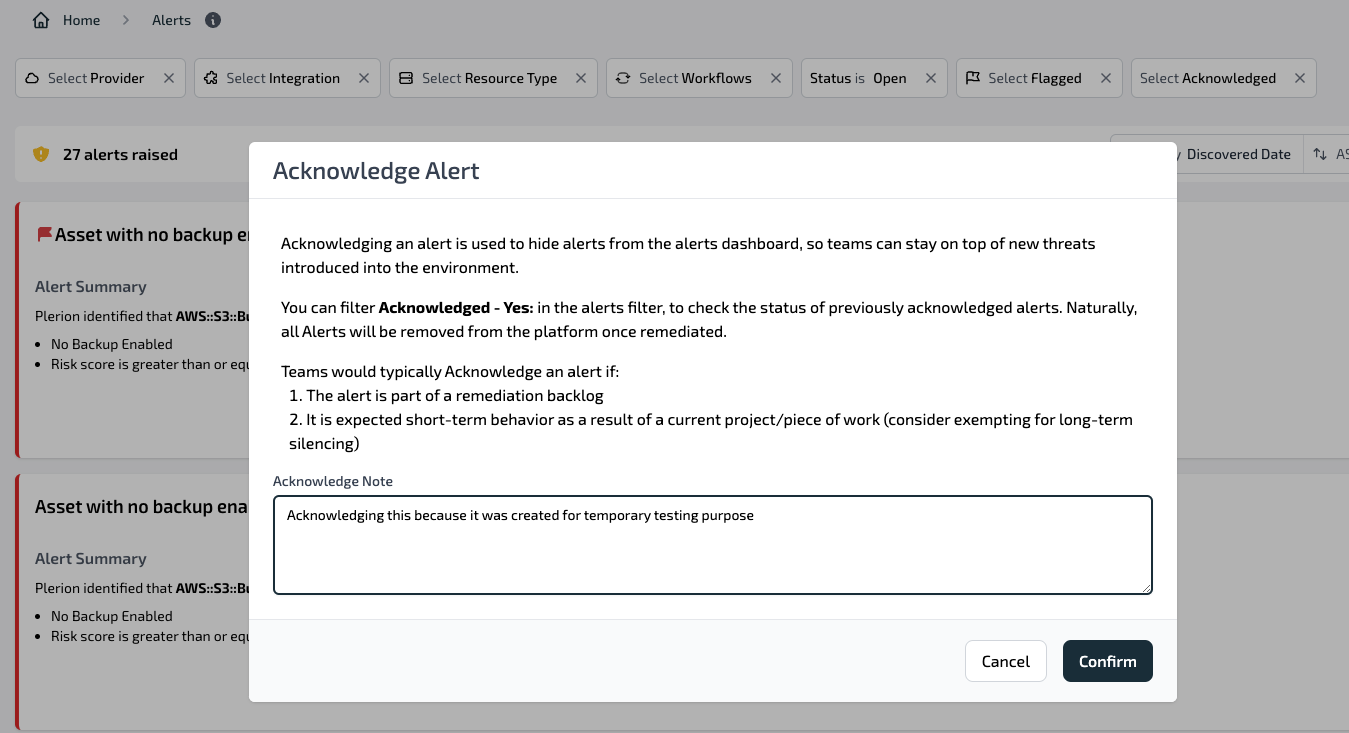
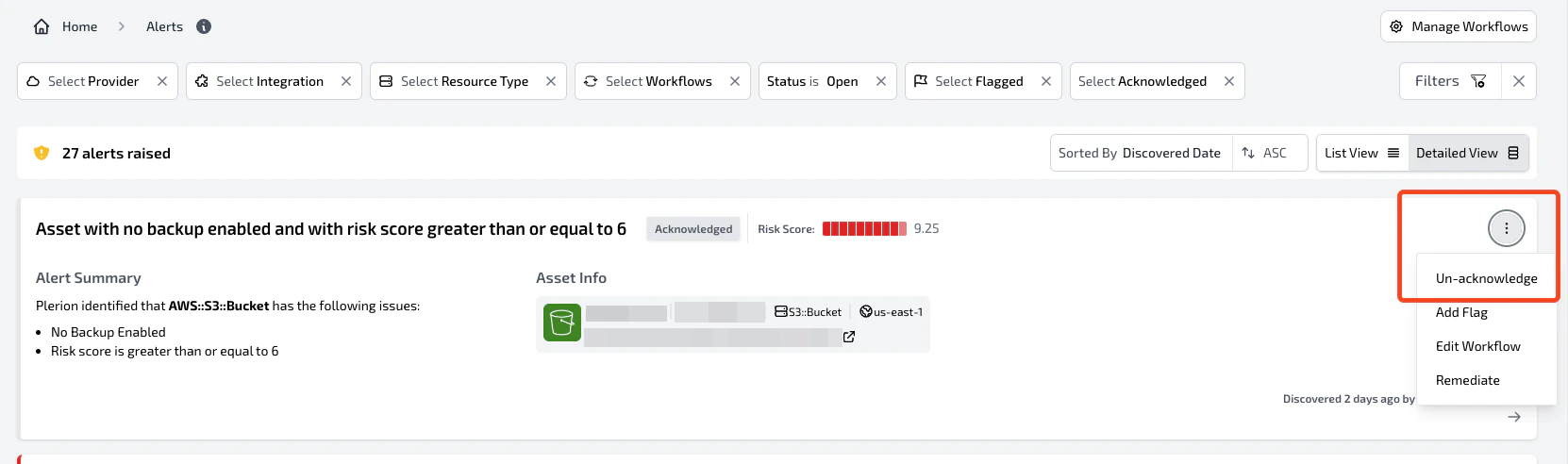
Flag
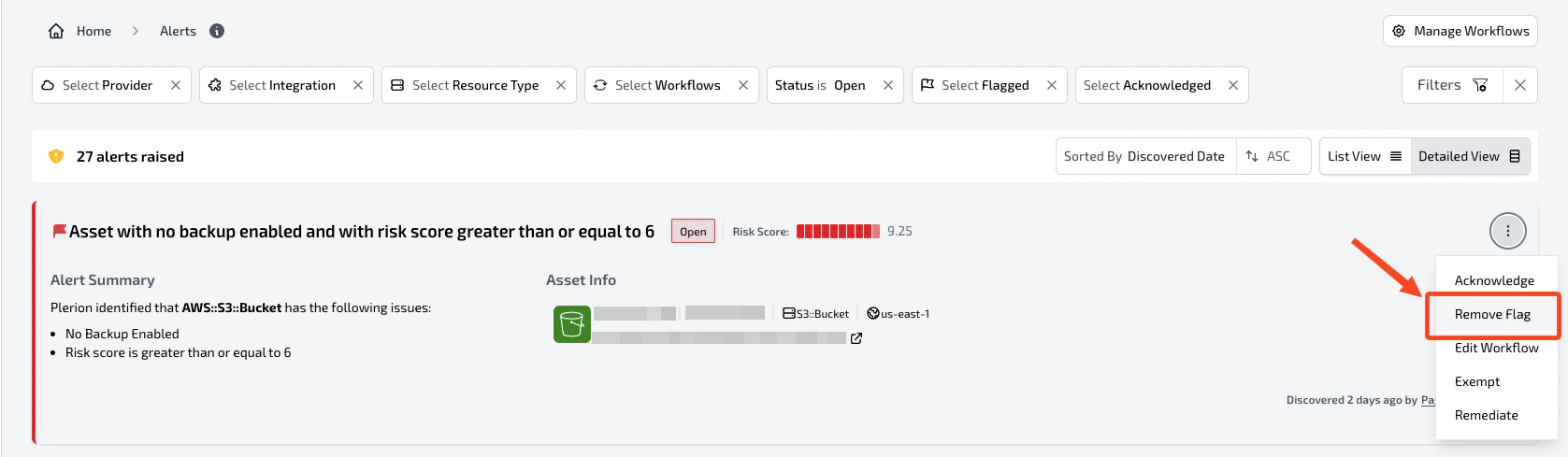
The Plerion Alert Dashboard empowers users to flag alerts for enhanced visibility and significance. Unlike acknowledging an alert, flagging an alert does not trigger any internal side effects, such as closing or reopening the alert in outbound integrations. Instead, flagging an alert serves as a method for teams to categorize alerts based on their criteria, such as relevance or priority. This enables teams to swiftly identify and address high-priority alerts, thereby improving overall threat response times.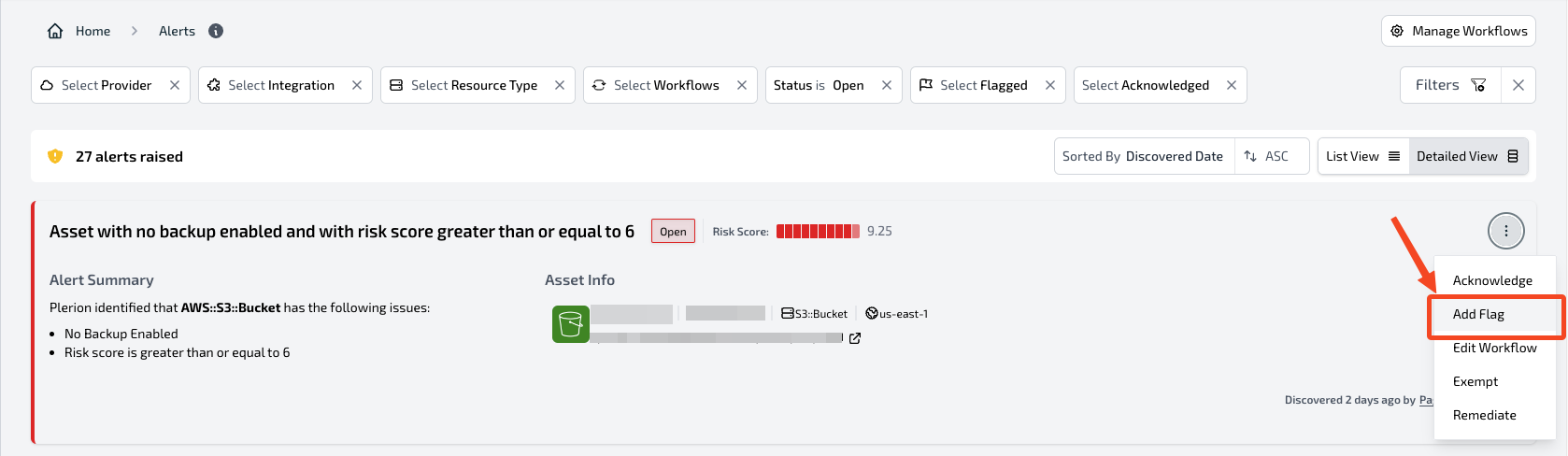
Remediate
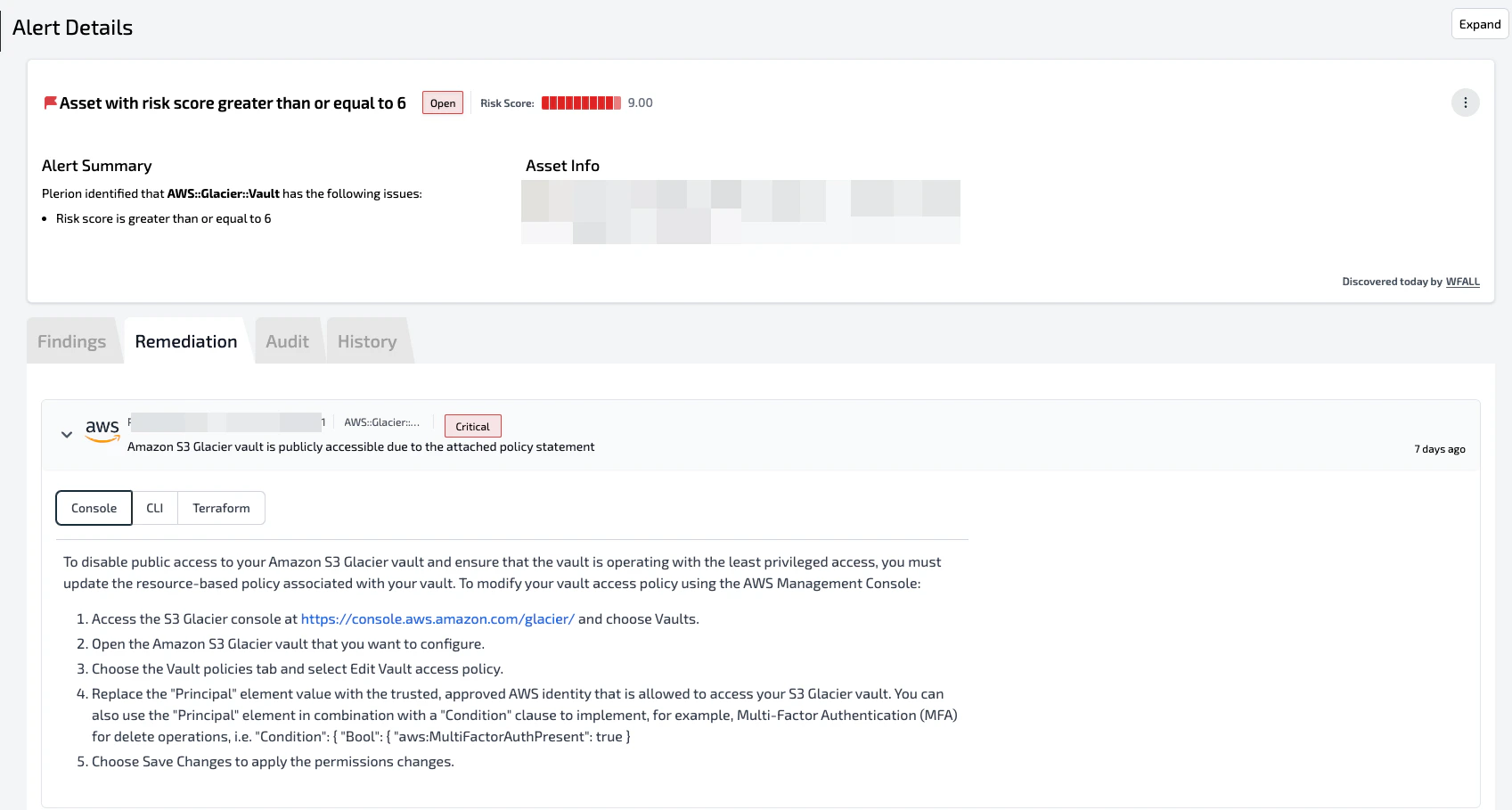
The Plerion Alert Dashboard provides a feature to help users understand the necessary steps to remediate an alert by clicking on the Remediate button.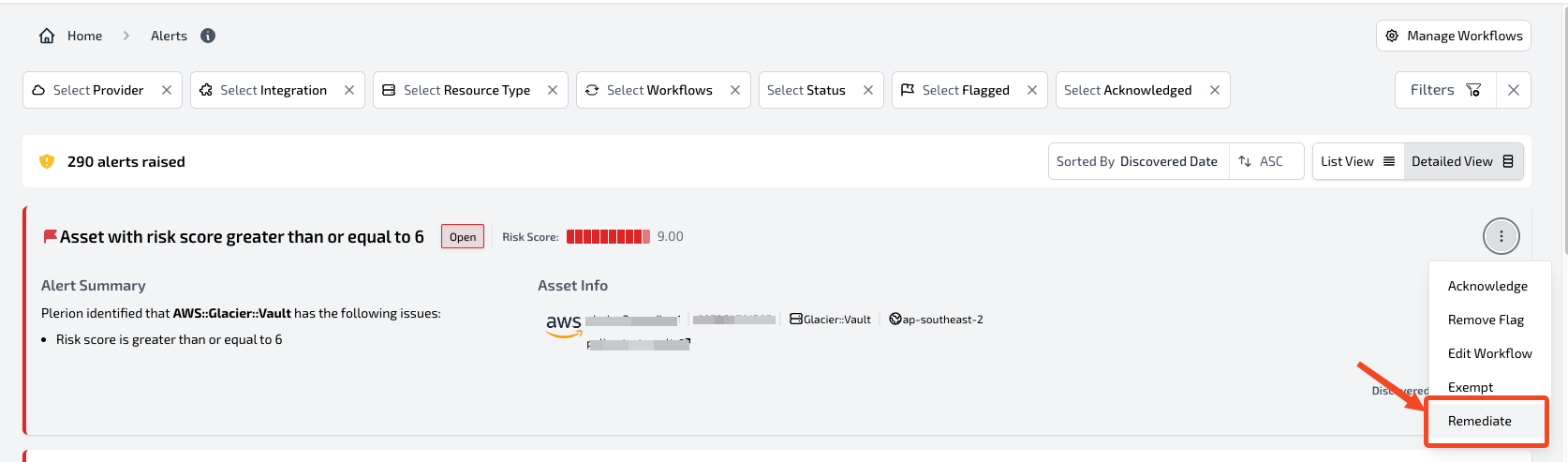
Exempt
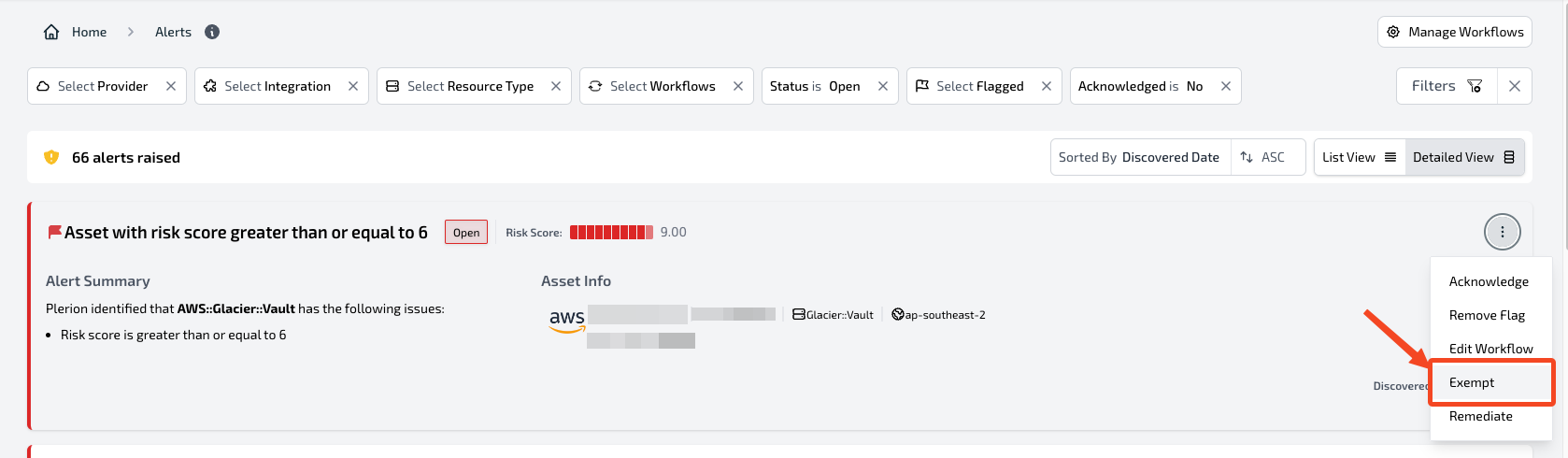
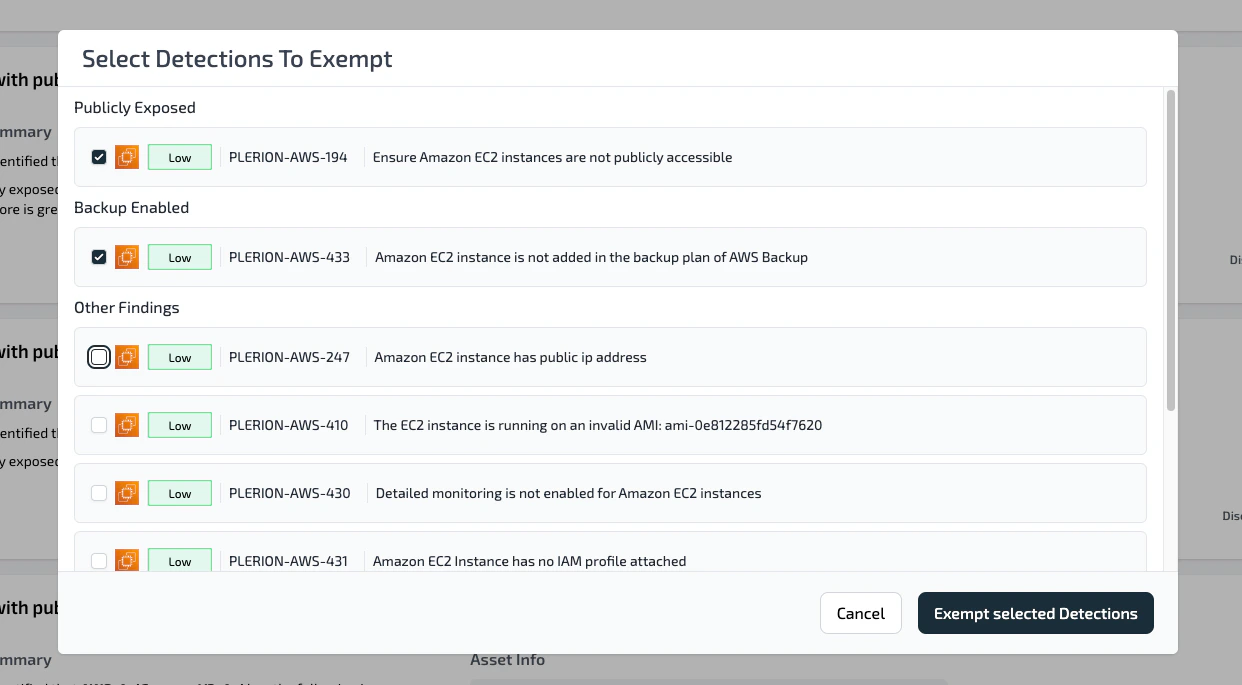
The Plerion Alert Dashboard provides users with the ability to ignore/exempt a detection from the assets evaluated by the workflow responsible for generating alerts. Sometimes teams might encounter an alert for an asset with detection that is acceptable or irrelevant to their specific environment. For such detection, teams can add exemptions, so that it will no longer appear on their Alerts dashboard.