> ## Documentation Index
> Fetch the complete documentation index at: https://docs.plerion.com/llms.txt
> Use this file to discover all available pages before exploring further.
# Compliance frameworks
> Use Plerion compliance frameworks to track regulatory standards such as ISO 27001, SOC 2, and CIS Benchmarks across your cloud environments.
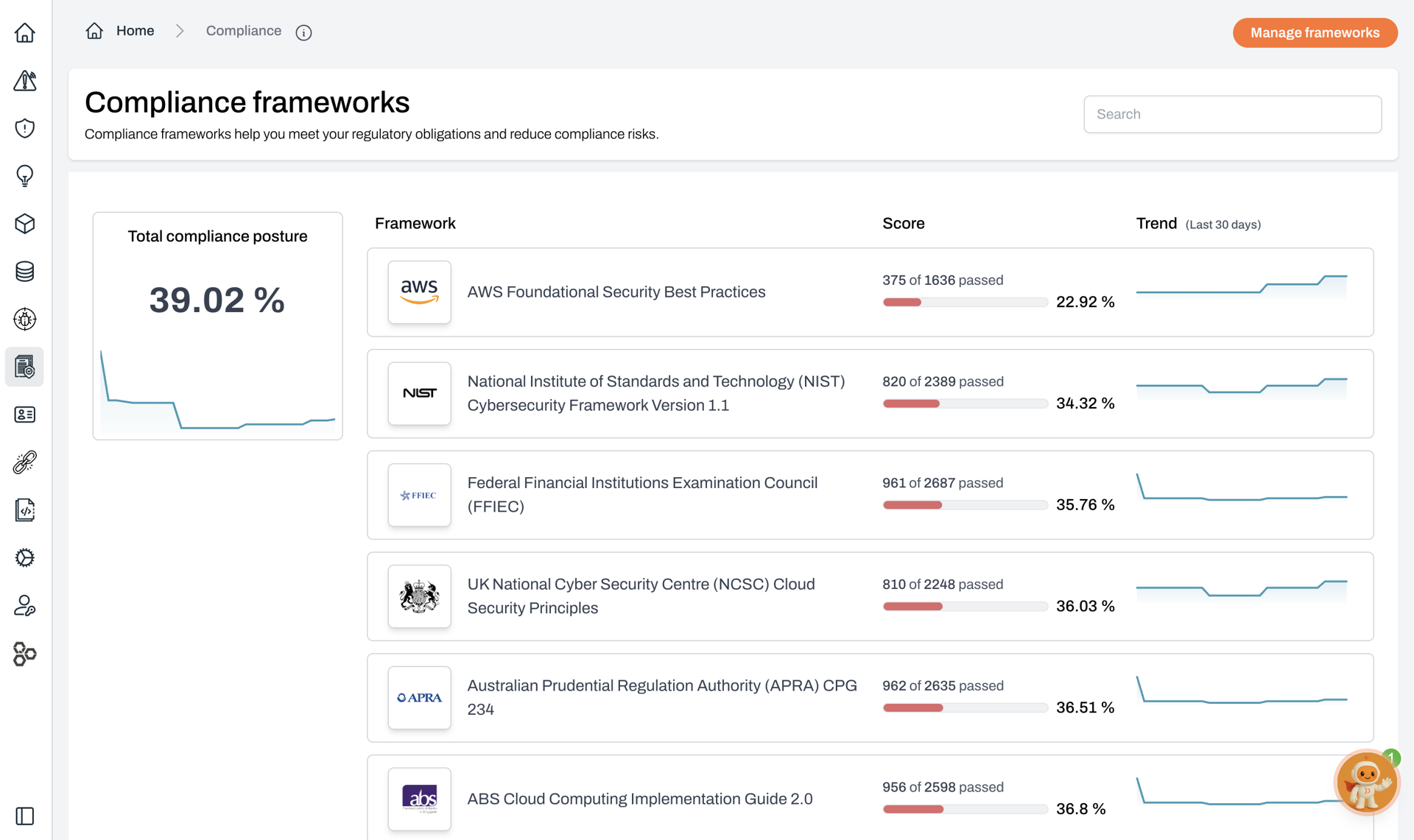
With [Compliance frameworks](https://app.plerion.com/compliance), you can demonstrate that your cloud environments are secure and trustworthy by mapping real findings to recognized standards such as ISO 27001, SOC 2, and CIS Benchmarks. This helps you stay continuously audit-ready, streamline reporting, and build confidence with auditors, executives, and customers.
 ## Key features
* **Wide coverage out of the box**\
Plerion includes over 30 compliance frameworks, with the most widely used ones enabled by default.
* **Clear reporting**\
Export compliance reports as Excel spreadsheets (`.xlsx`) or PDF files to share with auditors, executives, or your team.
* **Detailed visibility**\
Drill down into each control to view failing findings and understand what requires attention.
* **Trend tracking**\
Monitor how your compliance posture changes over time to maintain continuous readiness.
* **Custom frameworks**\
Build tailored compliance frameworks using Plerion findings to align with your organization’s needs. [Learn how to build your own.](#custom-compliance-builder)
## How to manage frameworks
You can enable or disable compliance frameworks based on what is relevant to your business.
In the Plerion dashboard, click `Compliance` in the side navigation menu.
Select the `Manage frameworks` button in the top right.
## Key features
* **Wide coverage out of the box**\
Plerion includes over 30 compliance frameworks, with the most widely used ones enabled by default.
* **Clear reporting**\
Export compliance reports as Excel spreadsheets (`.xlsx`) or PDF files to share with auditors, executives, or your team.
* **Detailed visibility**\
Drill down into each control to view failing findings and understand what requires attention.
* **Trend tracking**\
Monitor how your compliance posture changes over time to maintain continuous readiness.
* **Custom frameworks**\
Build tailored compliance frameworks using Plerion findings to align with your organization’s needs. [Learn how to build your own.](#custom-compliance-builder)
## How to manage frameworks
You can enable or disable compliance frameworks based on what is relevant to your business.
In the Plerion dashboard, click `Compliance` in the side navigation menu.
Select the `Manage frameworks` button in the top right.

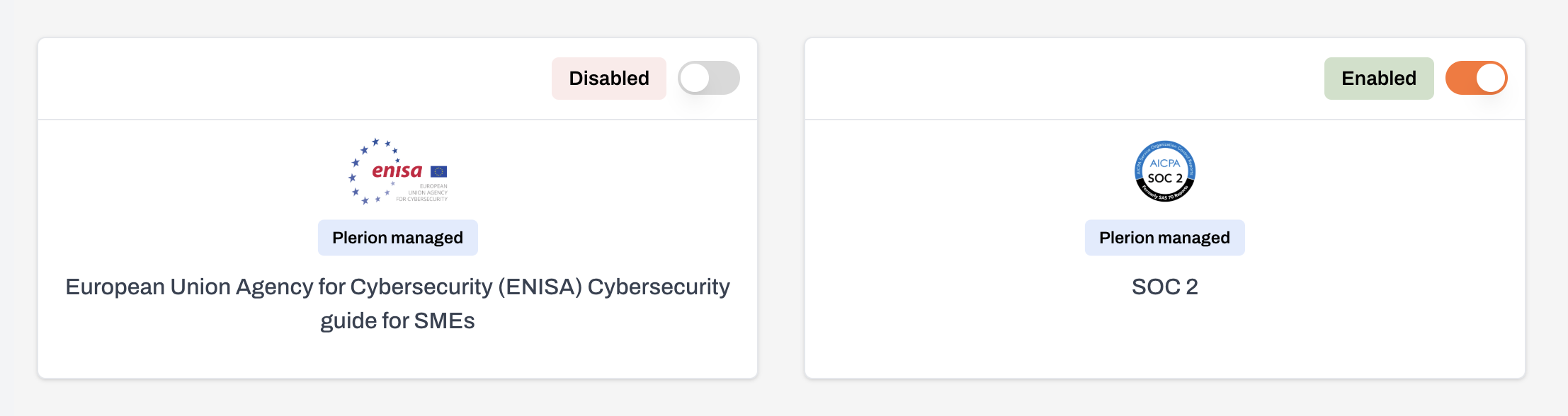
 * Use the toggle next to each framework to turn it on or off.
* A chip next to the toggle shows whether the framework is currently enabled.
* Use the toggle next to each framework to turn it on or off.
* A chip next to the toggle shows whether the framework is currently enabled.
 ## Custom compliance builder
With the [Custom compliance builder](https://app.plerion.com/settings/compliance-frameworks/add), you can create frameworks tailored to your organization’s requirements.
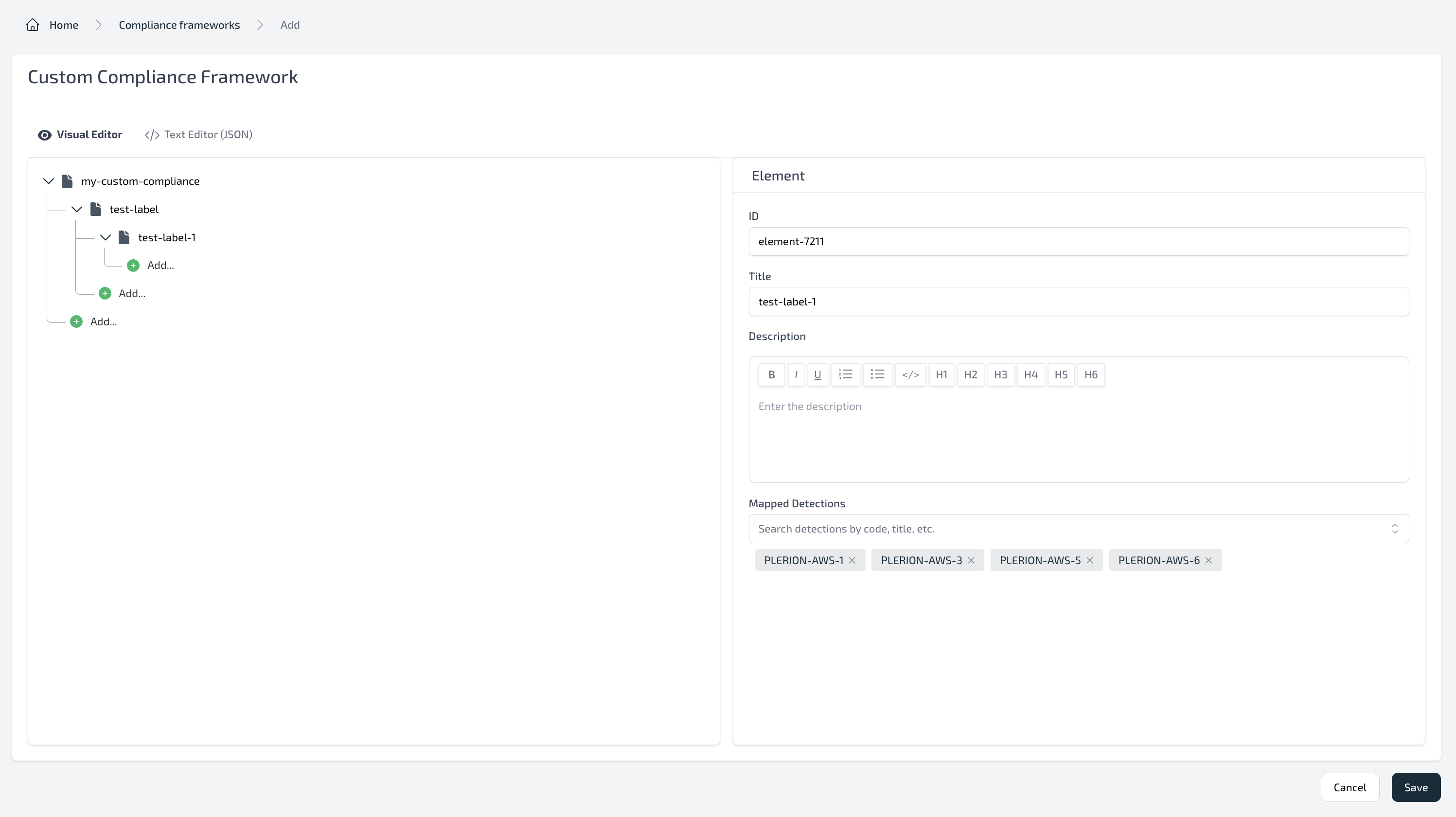
Choose between an intuitive visual editor or a JSON text editor to design frameworks, map elements to detections, and export results for sharing.
## Custom compliance builder
With the [Custom compliance builder](https://app.plerion.com/settings/compliance-frameworks/add), you can create frameworks tailored to your organization’s requirements.
Choose between an intuitive visual editor or a JSON text editor to design frameworks, map elements to detections, and export results for sharing.
 ### Key features
* **Flexible design options**\
Build frameworks with either the graphical editor or the JSON text editor.
* **Granular structure**\
Define and organize detailed element structures within your framework.
* **Direct mapping to detections**\
Link each element to one or more Plerion detections for precise coverage.
* **Export and share**\
Export frameworks as PDF or `.xlsx` files for distribution to auditors, executives, or your team.
### Key features
* **Flexible design options**\
Build frameworks with either the graphical editor or the JSON text editor.
* **Granular structure**\
Define and organize detailed element structures within your framework.
* **Direct mapping to detections**\
Link each element to one or more Plerion detections for precise coverage.
* **Export and share**\
Export frameworks as PDF or `.xlsx` files for distribution to auditors, executives, or your team.