> ## Documentation Index
> Fetch the complete documentation index at: https://docs.plerion.com/llms.txt
> Use this file to discover all available pages before exploring further.

# Asset groups

> Organize and manage assets in Plerion using asset groups to simplify filtering, reporting, and analysis.

An **asset group** categorizes assets into specific groups based on various criteria, including integration, asset tag, resource type, and resource name.\
This functionality helps users efficiently manage, organize, and analyze their assets.

For example, you can group assets by teams, projects, business units, environments, tech stacks, or other relevant criteria.

## Create an Asset group

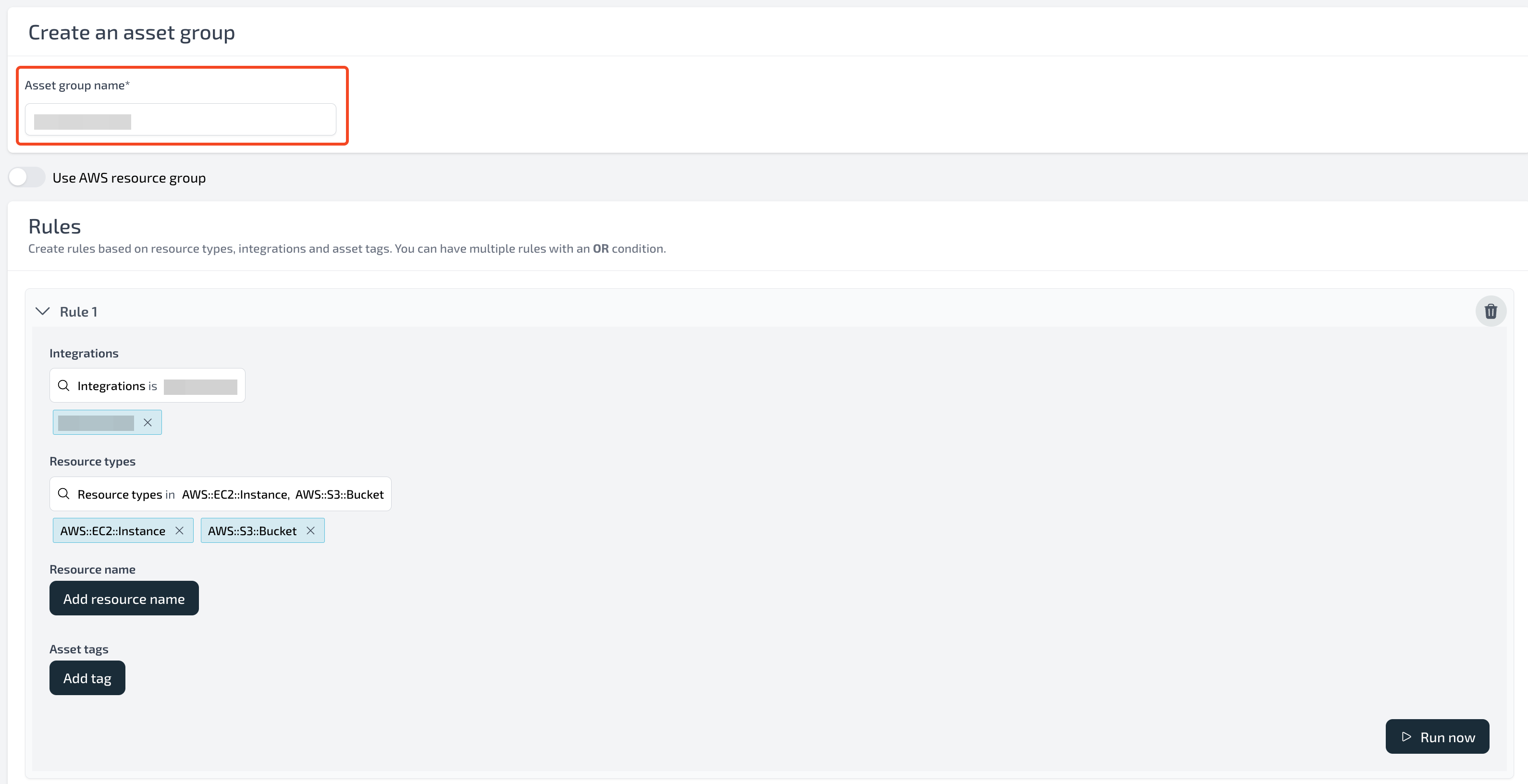
To create an asset group, navigate to **Settings - Asset Groups** and click the **Create Asset Group** button.

<Note>
  Each tenant can have a maximum of 25 asset groups.

</Note>

<Frame>
  <img src="https://mintcdn.com/pleriondocs/ety8bkIyz07mzDGm/images/product/asset-groups/create-asset-group.png?fit=max&auto=format&n=ety8bkIyz07mzDGm&q=85&s=ad7306e7ae4004cd1b2b20c7c429d0b8" alt="Create Asset Group" width="2672" height="440" data-path="images/product/asset-groups/create-asset-group.png" />
</Frame>

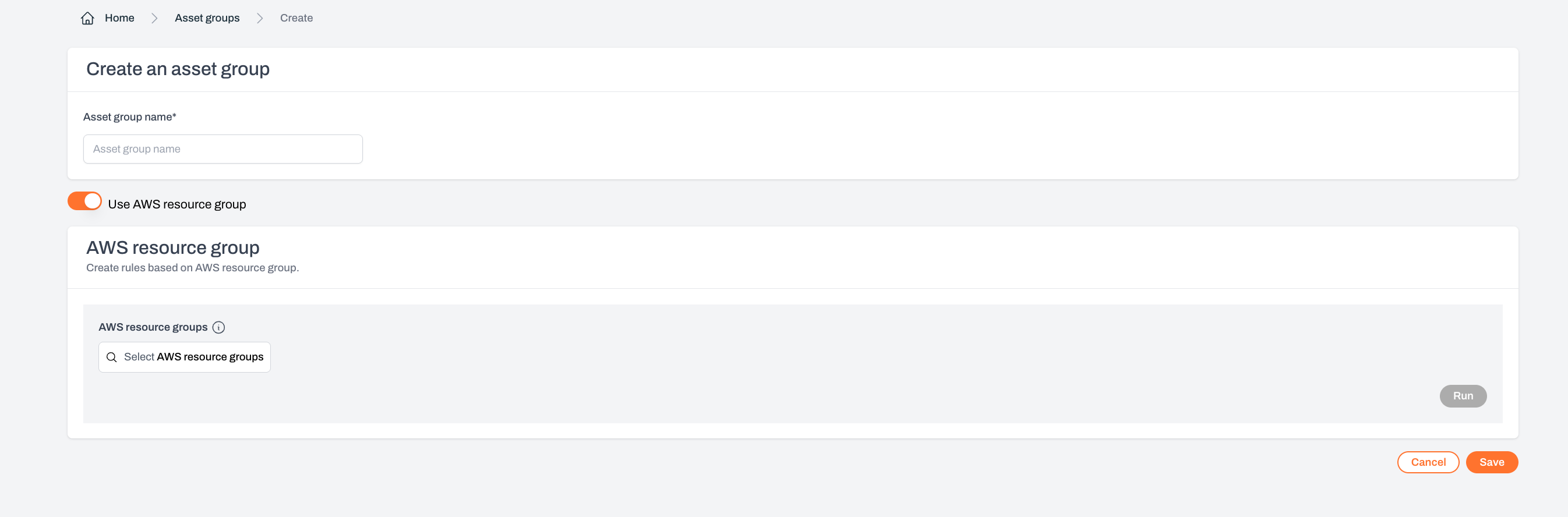
When creating an asset group, you can define multiple rules, each with its own set of conditions.\
Supported conditions include:

1. Integration
2. Resource type
3. Asset tag
4. Resource name
5. AWS Resource Groups
<Frame>
  <img src="https://mintcdn.com/pleriondocs/ety8bkIyz07mzDGm/images/product/asset-groups/create-asset-group-details.png?fit=max&auto=format&n=ety8bkIyz07mzDGm&q=85&s=33402f0e83622f4ef4f27ea7c31874cd" alt="Create Asset Group" width="3180" height="1632" data-path="images/product/asset-groups/create-asset-group-details.png" />
</Frame>

<br />

<Frame>
  <img src="https://mintcdn.com/pleriondocs/ety8bkIyz07mzDGm/images/product/asset-groups/create-asset-group-aws-resourcegroups.png?fit=max&auto=format&n=ety8bkIyz07mzDGm&q=85&s=4ab57b62f02cb89eeb81217c8402e8ec" alt="Create Asset Group using AWS Resource groups" width="2692" height="888" data-path="images/product/asset-groups/create-asset-group-aws-resourcegroups.png" />
</Frame>

## Filters

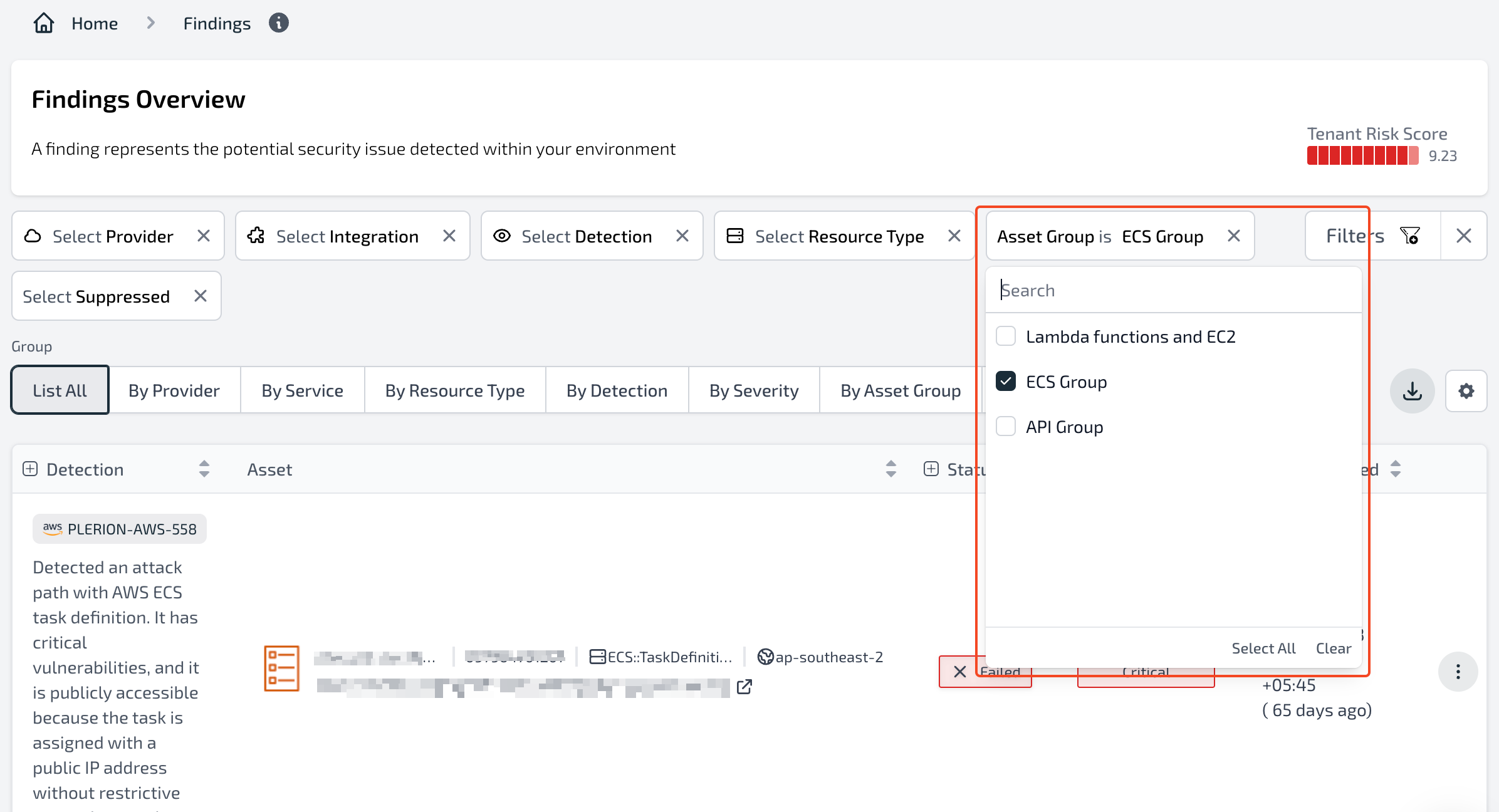
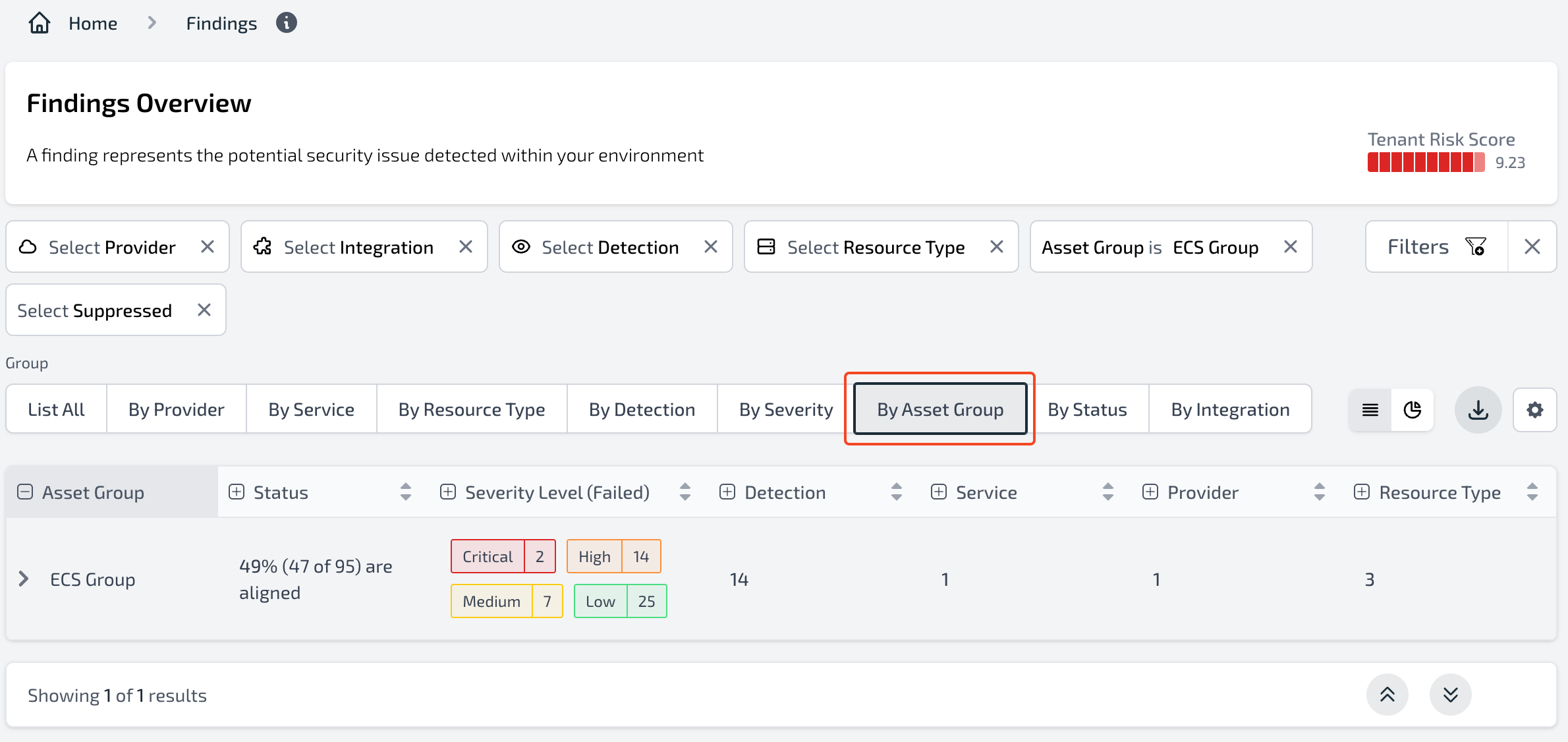
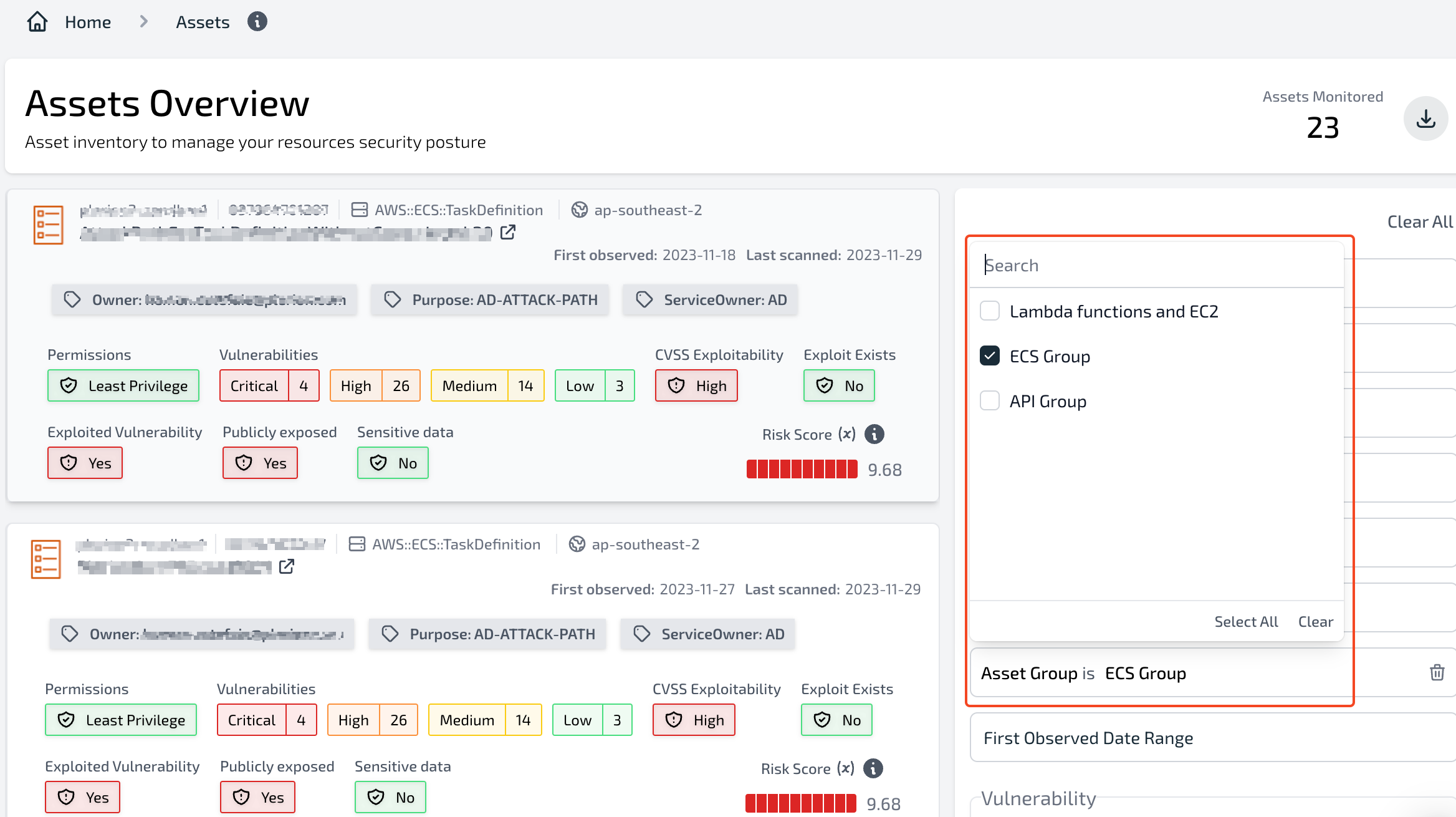
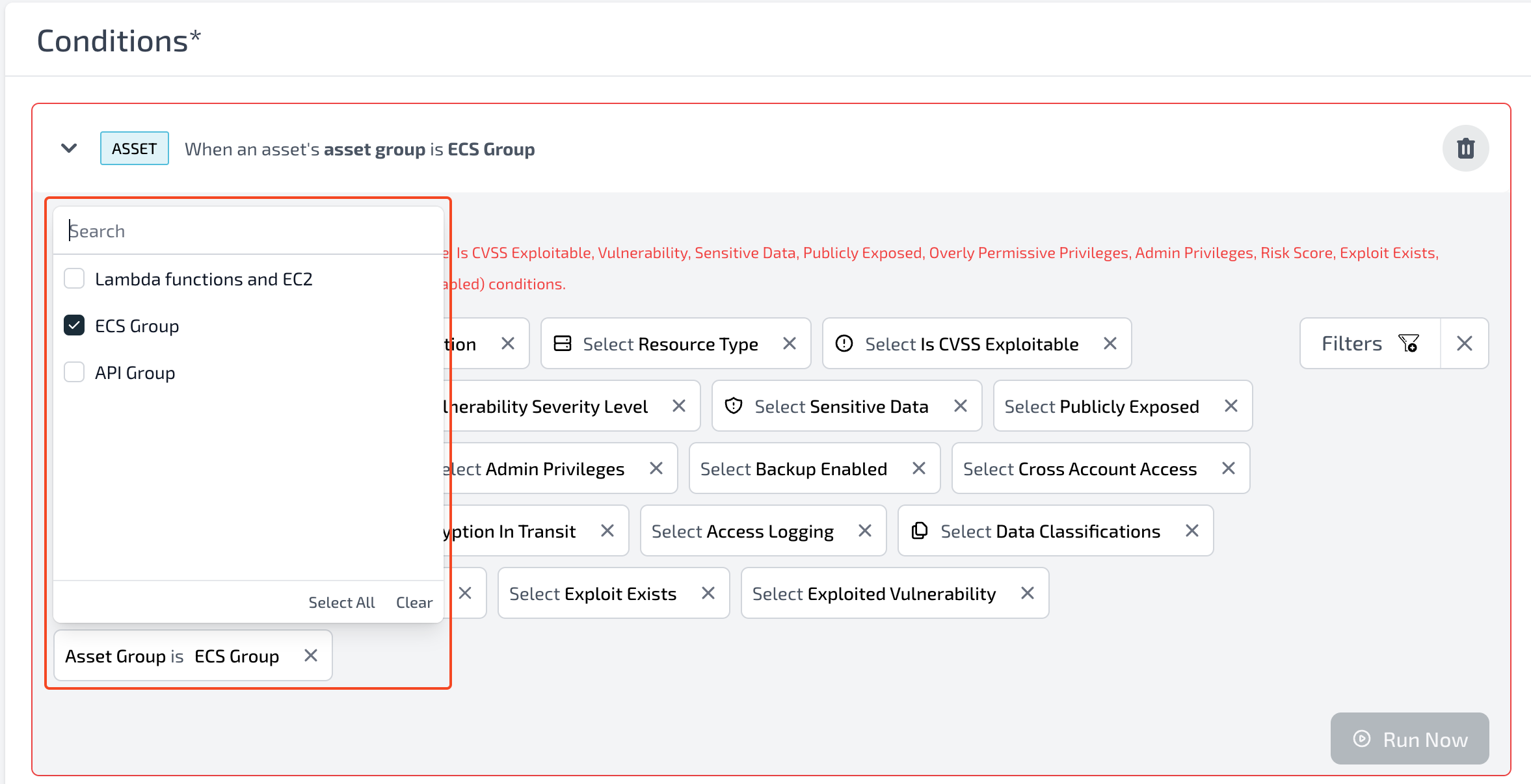
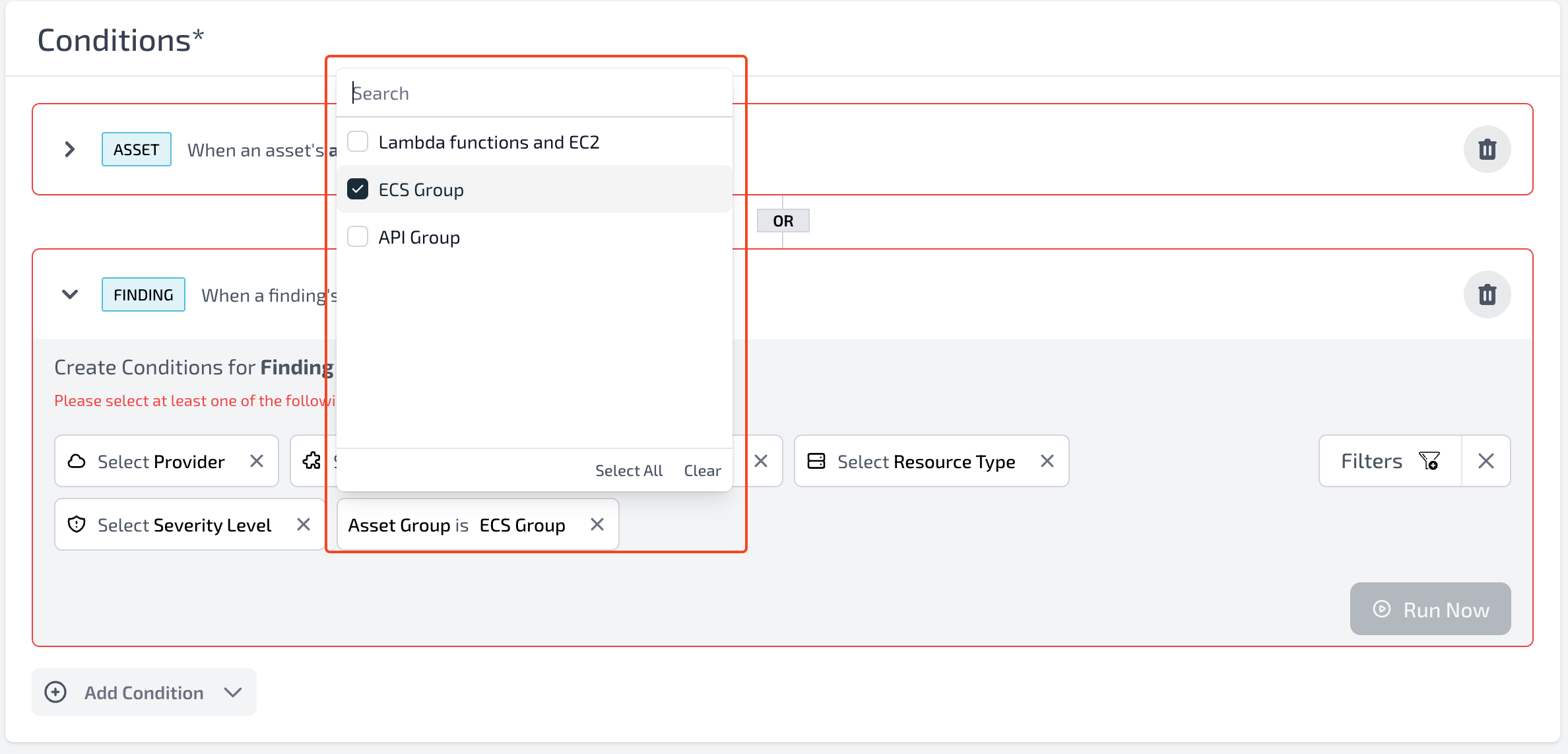
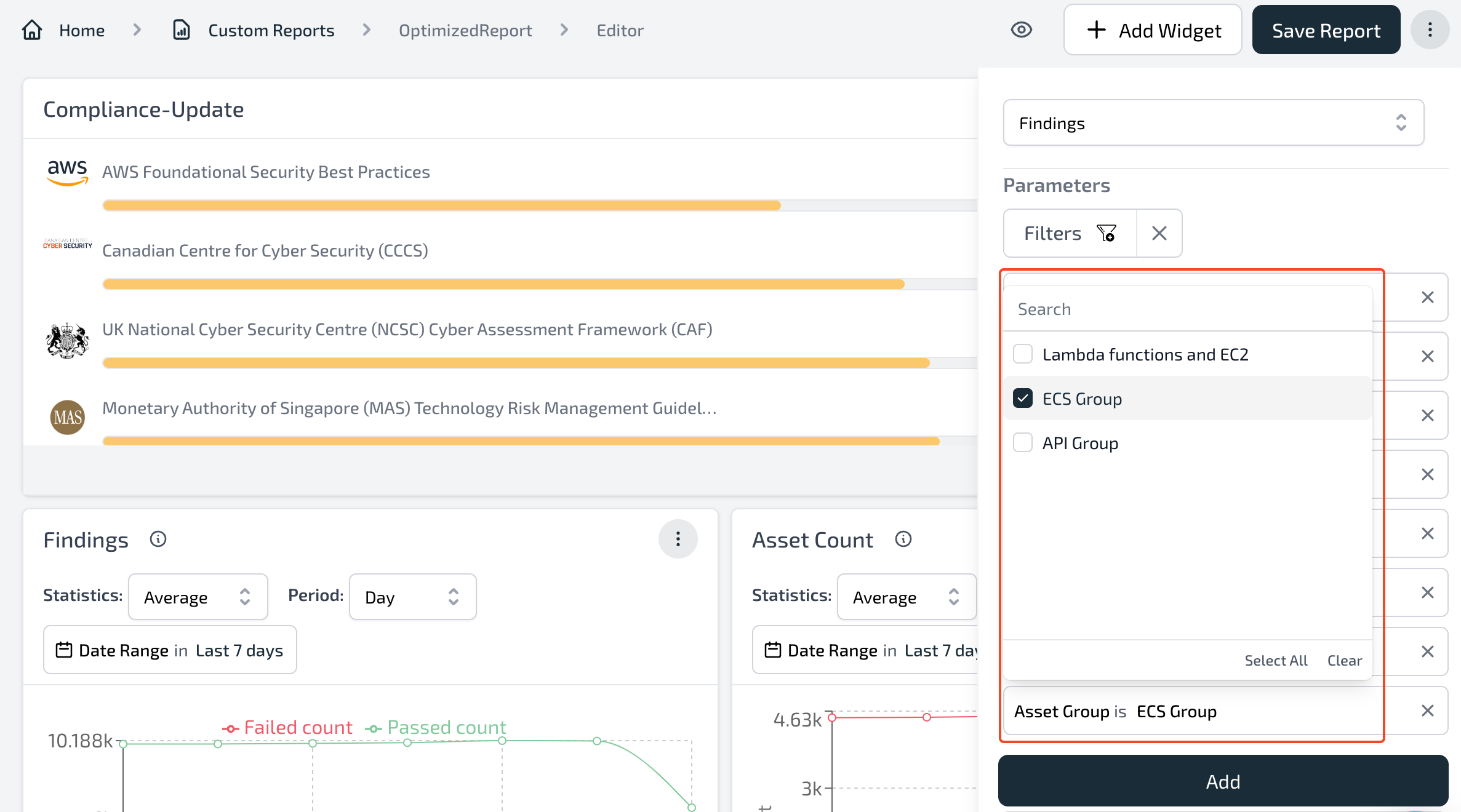
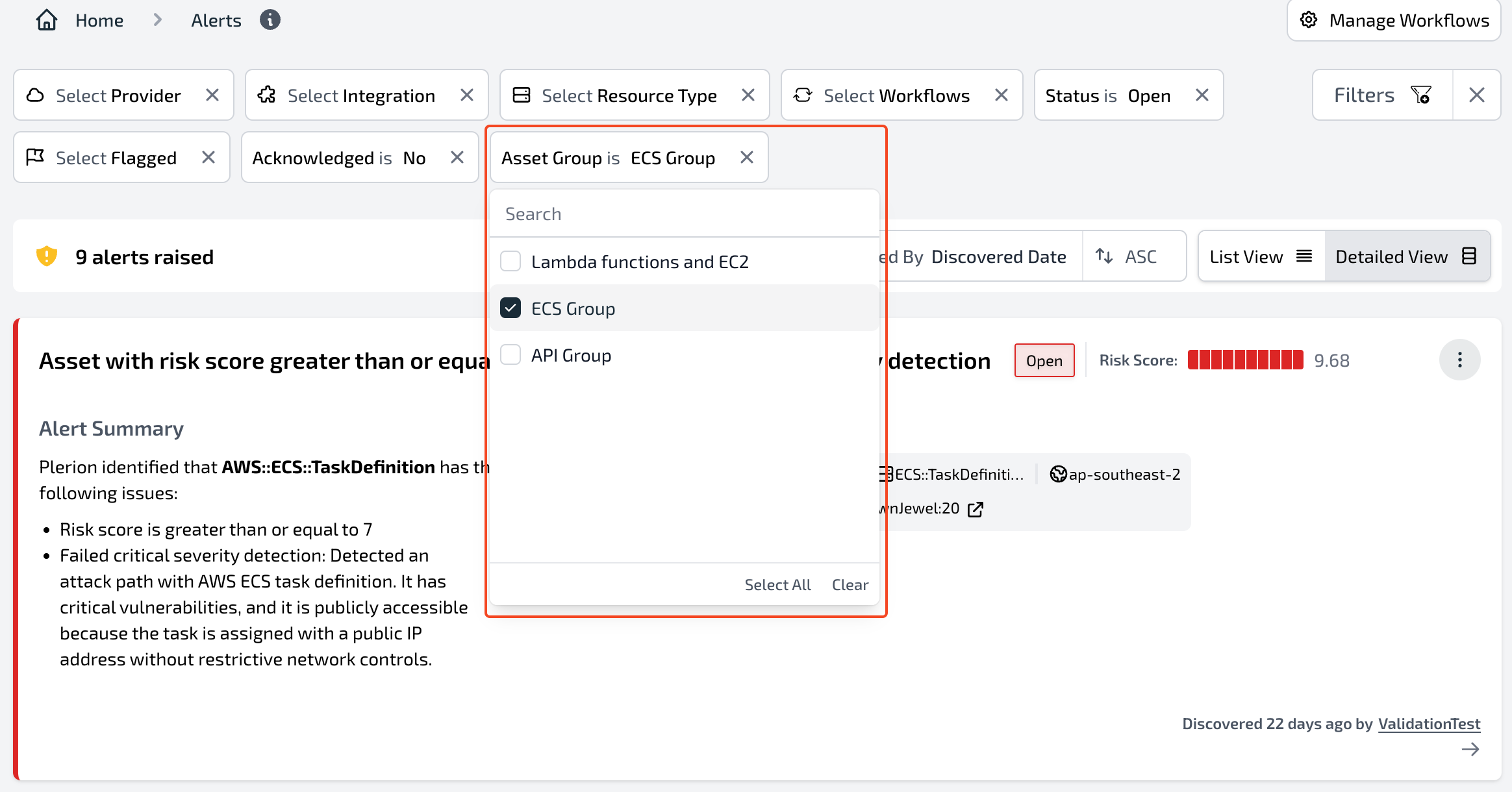
You can apply filters based on asset groups to focus on alerts, findings, assets, or other data associated with a particular group.

### Alerts dashboard
<Frame>
  <img src="https://mintcdn.com/pleriondocs/ety8bkIyz07mzDGm/images/product/asset-groups/alerts-assetgroup.png?fit=max&auto=format&n=ety8bkIyz07mzDGm&q=85&s=10b6f99bd38dea7ff47d8876ee7dd19f" alt="Filter for Asset group on the Alerts dashboard" width="2328" height="1220" data-path="images/product/asset-groups/alerts-assetgroup.png" />
</Frame>

### Findings dashboard

<Frame>
  <img src="https://mintcdn.com/pleriondocs/ety8bkIyz07mzDGm/images/product/asset-groups/findings-assetgroup.png?fit=max&auto=format&n=ety8bkIyz07mzDGm&q=85&s=eac4d4b4128a1951162662a0d23d1697" alt="Filter for Asset group on the Findings dashboard" width="2392" height="1296" data-path="images/product/asset-groups/findings-assetgroup.png" />
</Frame>

<br />

<Frame>
  <img src="https://mintcdn.com/pleriondocs/ety8bkIyz07mzDGm/images/product/asset-groups/findings-groupbyassetgroup.png?fit=max&auto=format&n=ety8bkIyz07mzDGm&q=85&s=381e41aba57d813300dc8a70d12a8436" alt="Group by Asset groups on the Findings dashboard" width="2380" height="1126" data-path="images/product/asset-groups/findings-groupbyassetgroup.png" />
</Frame>

### Assets dashboard

<Frame>
  <img src="https://mintcdn.com/pleriondocs/ety8bkIyz07mzDGm/images/product/asset-groups/assets-assetgroup.png?fit=max&auto=format&n=ety8bkIyz07mzDGm&q=85&s=a06811e3f6f0849fc51a82e3680221b1" alt="Filter by Asset group on the Asset dashboard" width="2336" height="1310" data-path="images/product/asset-groups/assets-assetgroup.png" />
</Frame>

### Workflows

<Frame>
  <img src="https://mintcdn.com/pleriondocs/ety8bkIyz07mzDGm/images/product/asset-groups/workflow-assets-assetgroup.png?fit=max&auto=format&n=ety8bkIyz07mzDGm&q=85&s=7583756c09bf8cb35d4acdc023d05d33" alt="Filter by Asset group on Workflows Asset condition" width="2354" height="1206" data-path="images/product/asset-groups/workflow-assets-assetgroup.png" />
</Frame>

<br />

<Frame>
  <img src="https://mintcdn.com/pleriondocs/ety8bkIyz07mzDGm/images/product/asset-groups/workflow-findings-assetgroup.png?fit=max&auto=format&n=ety8bkIyz07mzDGm&q=85&s=0df6c7212d4ae5becca1284fda143840" alt="Filter by Asset group on Workflows Finding condition" width="2376" height="1142" data-path="images/product/asset-groups/workflow-findings-assetgroup.png" />
</Frame>

### Custom reports

<Frame>
  <img src="https://mintcdn.com/pleriondocs/ety8bkIyz07mzDGm/images/product/asset-groups/customreports-assetgroup.png?fit=max&auto=format&n=ety8bkIyz07mzDGm&q=85&s=0a8dbeb55134216b0e58723a399b3462" alt="Custom report" width="2374" height="1320" data-path="images/product/asset-groups/customreports-assetgroup.png" />
</Frame>