> ## Documentation Index
> Fetch the complete documentation index at: https://docs.plerion.com/llms.txt
> Use this file to discover all available pages before exploring further.
# Provide Plerion access to KMS keys
> Grant Plerion CWPP appliances access to your customer managed KMS keys to scan encrypted resources.
With this guide, you can grant Plerion appliances access to your customer managed AWS KMS (Key Management Service) keys. This access allows the **Cloud Workload Protection Platform (CWPP)** appliance to scan encrypted resources.
For steps to enable or update the CWPP integration, see:
1. [Onboarding CWPP integration](/guides/integrations/aws/aws-account/getting-started-with-aws-account#steps-to-enable-cwpp-for-your-aws-account-optional)
2. [Updating AWS integration](/guides/integrations/aws/aws-account/updating-aws-account)
***
## Access modes
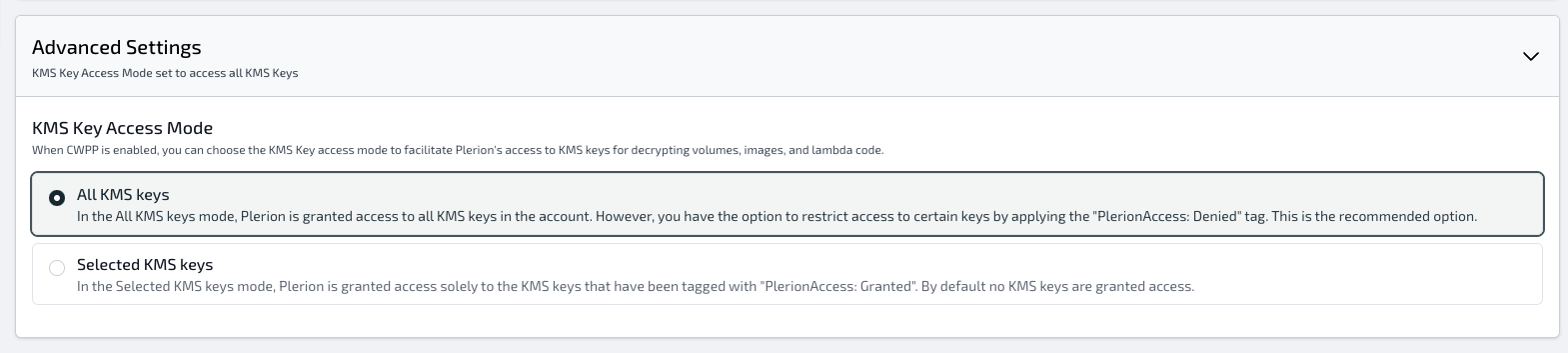
You can grant access in two modes, either during onboarding or when updating the AWS integration:
1. All KMS keys
2. Selected KMS keys
 ### All KMS keys mode
In this mode, the Plerion appliance is granted access to all KMS keys in the account. You can restrict specific keys by tagging them with **`PlerionAccess: Denied`**.
This is recommended if your account has a large number of KMS keys.
Example IAM policy statement added to the `PlerionApplianceRole`:
```json theme={"system"}
{
"Effect": "Allow",
"Sid": "PlerionKmsCmkAccess",
"Action": [
"kms:Encrypt",
"kms:Decrypt",
"kms:ReEncrypt*",
"kms:GenerateDataKey*",
"kms:DescribeKey",
"kms:CreateGrant"
],
"Resource": ["arn:aws:kms:*:*:key/*"],
"Condition": {
"StringNotEqualsIgnoreCase": {
"aws:ResourceTag/PlerionAccess": "Denied"
}
}
}
```
### All KMS keys mode
In this mode, the Plerion appliance is granted access to all KMS keys in the account. You can restrict specific keys by tagging them with **`PlerionAccess: Denied`**.
This is recommended if your account has a large number of KMS keys.
Example IAM policy statement added to the `PlerionApplianceRole`:
```json theme={"system"}
{
"Effect": "Allow",
"Sid": "PlerionKmsCmkAccess",
"Action": [
"kms:Encrypt",
"kms:Decrypt",
"kms:ReEncrypt*",
"kms:GenerateDataKey*",
"kms:DescribeKey",
"kms:CreateGrant"
],
"Resource": ["arn:aws:kms:*:*:key/*"],
"Condition": {
"StringNotEqualsIgnoreCase": {
"aws:ResourceTag/PlerionAccess": "Denied"
}
}
}
```